Category Archives: Google Cloud

More Obscure Things That Make It Go “Vacuum” in PostgreSQL

I previously blogged about ensuring that the “ON CONFLICT” directive is used in order to avoid vacuum from having to do additional work. I also later demonstrated the characteristics of how the use of the MERGE statement will accomplish the same thing.

You can read the original blogs here Reduce Vacuum by Using “ON CONFLICT” Directive and here Follow-Up: Reduce Vacuum by Using “ON CONFLICT” Directive

Now in another recent customer case, I was chasing down why the application was invoking 10s of thousands of Foreign Key and Constraint violations per day and I began to wonder, if these kinds of errors also caused additional vacuum as described in those previous blogs. Sure enough it DEPENDS.

Let’s set up a quick test to demonstrate:

/* Create related tables: */
CREATE TABLE public.uuid_product_value (
        id int PRIMARY KEY,
        pkid text,
        value numeric,
        product_id int,
        effective_date timestamp(3)
        );

CREATE TABLE public.uuid_product (
        product_id int PRIMARY KEY
        );

ALTER TABLE uuid_product_value
    ADD CONSTRAINT uuid_product_value_product_id_fk 
    FOREIGN KEY (product_id) 
    REFERENCES uuid_product (product_id) ON DELETE CASCADE;

/* Insert some mocked up data */
INSERT INTO public.uuid_product VALUES ( 
        generate_series(0,200));

INSERT INTO public.uuid_product_value VALUES ( 
        generate_series(0,10000), 
        gen_random_uuid()::text,
        random()*1000,
        ROUND(random()*100),
        current_timestamp(3));
 
/* Vacuum Analyze Both tables */
VACUUM (VERBOSE, ANALYZE) uuid_product;
VACUUM (VERBOSE, ANALYZE) uuid_product_value;

/* Verify that there are no dead tuples: */
SELECT
    schemaname,
    relname,
    n_live_tup,
    n_dead_tup
FROM
    pg_stat_all_tables
WHERE
    relname in ('uuid_product_value', 'uuid_product');
 
 schemaname |      relname       | n_live_tup | n_dead_tup
------------+--------------------+------------+------------
 public     | uuid_product_value |      10001 |          0
 public     | uuid_product       |        201 |          0

Then, let’s issue a simple insert that will violate the FK and check to see if dead tuples were generated:

/* Insert a row that violates the FK, without the ON CONFLICT directive */
INSERT INTO public.uuid_product_value VALUES ( 
        generate_series(10001,10001), 
        gen_random_uuid()::text,
        random()*1000,
        202,  /* we know this product_id doesn't exist in the parent */
        current_timestamp(3));

ERROR:  insert or update on table "uuid_product_value" violates foreign key constraint "uuid_mod_test_product_id_fk"
DETAIL:  Key (product_id)=(202) is not present in table "uuid_product".
Time: 3.065 ms

And now check the tuple stats:

SELECT
    schemaname,
    relname,
    n_live_tup,
    n_dead_tup
FROM
    pg_stat_all_tables
WHERE
    relname in ('uuid_product_value', 'uuid_product');

 schemaname |      relname       | n_live_tup | n_dead_tup
------------+--------------------+------------+------------
 public     | uuid_product_value |      10001 |          1
 public     | uuid_product       |        201 |          0

Sure enough, we now have a dead row as a result of the FK violation on the insert. But, will an “ON CONFLICT” directive help us in this scenario like in the others?

/* Insert a row that violates the FK, but with the ON CONFLICT directive */
INSERT INTO public.uuid_product_value VALUES ( 
        generate_series(10001,10001), 
        gen_random_uuid()::text,
        random()*1000,
        202,  /* we know this product_id doesn't exist in the parent */
        current_timestamp(3)) ON CONFLICT DO NOTHING;

/* Verify the tuple stats: */
SELECT
    schemaname,
    relname,
    n_live_tup,
    n_dead_tup
FROM
    pg_stat_all_tables
WHERE
    relname in ('uuid_product_value', 'uuid_product');

 schemaname |      relname       | n_live_tup | n_dead_tup
------------+--------------------+------------+------------
 public     | uuid_product_value |      10001 |          2
 public     | uuid_product       |        201 |          0

Unfortunately, it does not solve this problem. So we need to really be cognizant of FK violations and its effect on vacuum. Now what about trying to insert a NULL into a NOT NULL column? Will that result in a dead row? Let’s check.

/* Alter a column to NOT NULL */
ALTER TABLE public.uuid_product_value
    ALTER COLUMN pkid SET NOT NULL;

/* Check the table definition */
                        Table "public.uuid_product_value"
     Column     |              Type              | Collation | Nullable | Default
----------------+--------------------------------+-----------+----------+---------
 id             | integer                        |           | not null |
 pkid           | text                           |           | not null |
 value          | numeric                        |           |          |
 product_id     | integer                        |           |          |
 effective_date | timestamp(3) without time zone |           |          |
Indexes:
    "uuid_mod_test_pkey" PRIMARY KEY, btree (id)
    "uuid_mod_test_product_id_idx" btree (product_id) WHERE id >= 1 AND id <= 1000
    "uuid_mod_test_product_id_idx1" hash (product_id)
Foreign-key constraints:
    "uuid_mod_test_product_id_fk" FOREIGN KEY (product_id) REFERENCES uuid_product(product_id) ON DELETE CASCADE

/* Insert a row that violates the NOT NULL constraint */
INSERT INTO public.uuid_product_value VALUES ( 
        generate_series(10001,10001), 
        NULL,
        random()*1000,
        200,
        current_timestamp(3));
ERROR:  null value in column "pkid" of relation "uuid_product_value" violates not-null constraint
DETAIL:  Failing row contains (10001, null, 613.162063338205, 200, 2026-03-13 14:25:28.758).

/* Verify the tuple stats: */
SELECT
    schemaname,
    relname,
    n_live_tup,
    n_dead_tup
FROM
    pg_stat_all_tables
WHERE
    relname in ('uuid_product_value', 'uuid_product');

 schemaname |      relname       | n_live_tup | n_dead_tup
------------+--------------------+------------+------------
 public     | uuid_product_value |      10001 |          2
 public     | uuid_product       |        201 |          0

As you can see, a violation of the NOT NULL constraint does not have the same behavior as a violation of the FK constraint. It’s always good to know and relay to the application development staff what operations are going to result in more work for the database and adjust the code accordingly. Enjoy!
Do PostgreSQL Sub-Transactions Hurt Performance?

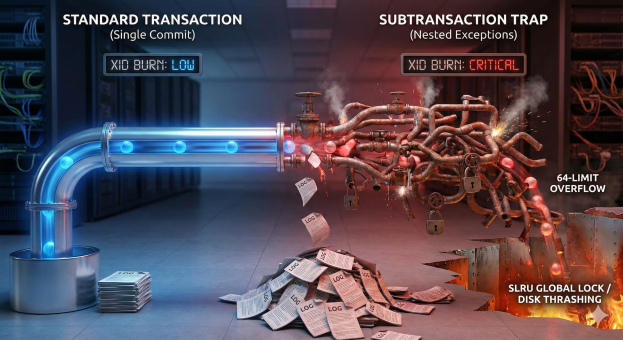
The short answer is always “maybe”. However, in the following post, I hope to demonstrate what creates a sub-transactions and what happens to the overall transaction id utilization when they are invoked. I will also show how performance is affected when there are lots of connections creating and consuming sub-transactions.

First, it is important to understand what statements will utilize a transaction id and which ones may be more critical (expensive) than others:

  • Calling Nested Procedures: đŸŸĸ Free. No new XIDs are used. They share the parent’s transaction.
  • BEGIN…END (No Exception Block): đŸŸĸ Free. Just organization.
  • COMMIT: 🟡 Expensive. Burns a main Transaction ID (finite resource, leads to Vacuum Freeze).
  • EXCEPTION: 🔴 Dangerous. Creates a subtransaction (performance killer).

So why is misplaced EXCEPTION logic possibly a performance killer? PostgreSQL is optimized to handle a small number of open subtransactions very efficiently. Each backend process has a fixed-size array in shared memory (part of the PGPROC structure) that can hold up to 64 open subtransaction IDs (XIDs) for the current top-level transaction. As long as your nesting depth stays below 64, PostgreSQL manages everything in this fast, local memory array. It does not need to use the Subtrans SLRU (Simple Least Recently Used) subsystem, which is what pg_stat_slru tracks. The problem is that the utilization of subtransaction IDs (XIDs) can get out of hand rather quickly if you are not paying attention to your application flow and once PostgreSQL runs out of fast RAM slots (PGPROC array) and spills tracking data to the slow SLRU cache (pg_subtrans), performance degrades non-linearly (often 50x–100x slower) and causes global locking contention that can freeze other users.

One of the other byproducts of utilizing too many sub-transactions is the additional WAL that will be generated. All of these can be demonstrated by a simple block of code:

------------------------------------------------------------------
-- 1. PREP: Create the helper function
------------------------------------------------------------------
CREATE OR REPLACE FUNCTION generate_subtrans_load(p_id int, depth int) 
RETURNS void AS $$
BEGIN
    IF depth > 0 THEN
        BEGIN
            PERFORM generate_subtrans_load(p_id, depth - 1);
        EXCEPTION WHEN OTHERS THEN NULL;
        END;
    ELSE
        INSERT INTO penalty_test VALUES (p_id, 'Deep Stack');
    END IF;
END;
$$ LANGUAGE plpgsql;

------------------------------------------------------------------
-- 2. THE COMPLETE TEST SUITE
------------------------------------------------------------------
DO $$ 
DECLARE
    -- Timing Variables
    v_start_ts  timestamp;
    v_t_base    interval; v_t_single interval; 
    v_t_48      interval; v_t_128    interval;

    -- Row Verification
    v_rows_base int;      v_rows_single int;
    v_rows_48   int;      v_rows_128    int;

    -- WAL Variables
    v_start_lsn pg_lsn;   v_end_lsn  pg_lsn;
    v_wal_base  numeric;  v_wal_single numeric;
    v_wal_48    numeric;  v_wal_128    numeric;

    -- XID Variables
    v_start_xid xid8;     v_end_xid  xid8;
    v_xid_base  bigint;   v_xid_single bigint;
    v_xid_48    bigint;   v_xid_128    bigint;

    i int;
    v_target_rows int := 5000; 
    
    -- Helper calc vars
    v_us_48 numeric;
    v_us_128 numeric;
BEGIN
    ---------------------------------------------------
    -- A. SETUP
    ---------------------------------------------------
    DROP TABLE IF EXISTS penalty_test;
    -- Explicitly preserve rows so COMMIT doesn't empty the table
    CREATE TEMP TABLE penalty_test (id int, val text) ON COMMIT PRESERVE ROWS;

    ---------------------------------------------------
    -- B. TEST 1: BASELINE (Standard Loop)
    ---------------------------------------------------
    -- 1. Force fresh start
    COMMIT; 
    v_start_ts  := clock_timestamp();
    v_start_lsn := pg_current_wal_insert_lsn();
    v_start_xid := pg_snapshot_xmax(pg_current_snapshot());

    FOR i IN 1..v_target_rows LOOP
        INSERT INTO penalty_test VALUES (i, 'Standard');
    END LOOP;
    
    -- 2. Force snapshot refresh to see XID consumption
    COMMIT; 
    v_end_lsn := pg_current_wal_insert_lsn();
    v_end_xid := pg_snapshot_xmax(pg_current_snapshot());
    v_t_base  := clock_timestamp() - v_start_ts;
    
    SELECT count(*) INTO v_rows_base FROM penalty_test;
    v_wal_base := v_end_lsn - v_start_lsn;
    v_xid_base := (v_end_xid::text::bigint - v_start_xid::text::bigint);

    ---------------------------------------------------
    -- C. TEST 2: SINGLE TRAP (Depth 1)
    ---------------------------------------------------
    TRUNCATE TABLE penalty_test;
    COMMIT; -- Clear stats
    
    v_start_ts  := clock_timestamp();
    v_start_lsn := pg_current_wal_insert_lsn();
    v_start_xid := pg_snapshot_xmax(pg_current_snapshot());

    FOR i IN 1..v_target_rows LOOP
        BEGIN
            INSERT INTO penalty_test VALUES (i, 'Single Trap');
        EXCEPTION WHEN OTHERS THEN NULL;
        END;
    END LOOP;
    
    COMMIT; -- Force refresh
    v_end_lsn := pg_current_wal_insert_lsn();
    v_end_xid := pg_snapshot_xmax(pg_current_snapshot());
    v_t_single := clock_timestamp() - v_start_ts;

    SELECT count(*) INTO v_rows_single FROM penalty_test;
    v_wal_single := v_end_lsn - v_start_lsn;
    v_xid_single := (v_end_xid::text::bigint - v_start_xid::text::bigint);

    ---------------------------------------------------
    -- D. TEST 3: SAFE ZONE (Depth 48)
    ---------------------------------------------------
    TRUNCATE TABLE penalty_test;
    COMMIT;
    
    v_start_ts  := clock_timestamp();
    v_start_lsn := pg_current_wal_insert_lsn();
    v_start_xid := pg_snapshot_xmax(pg_current_snapshot());

    FOR i IN 1..v_target_rows LOOP
        PERFORM generate_subtrans_load(i, 48);
    END LOOP;
    
    COMMIT;
    v_end_lsn := pg_current_wal_insert_lsn();
    v_end_xid := pg_snapshot_xmax(pg_current_snapshot());
    v_t_48    := clock_timestamp() - v_start_ts;

    SELECT count(*) INTO v_rows_48 FROM penalty_test;
    v_wal_48 := v_end_lsn - v_start_lsn;
    v_xid_48 := (v_end_xid::text::bigint - v_start_xid::text::bigint);

    ---------------------------------------------------
    -- E. TEST 4: OVERFLOW ZONE (Depth 128)
    ---------------------------------------------------
    TRUNCATE TABLE penalty_test;
    COMMIT;
    
    v_start_ts  := clock_timestamp();
    v_start_lsn := pg_current_wal_insert_lsn();
    v_start_xid := pg_snapshot_xmax(pg_current_snapshot());

    FOR i IN 1..v_target_rows LOOP
        PERFORM generate_subtrans_load(i, 128);
    END LOOP;
    
    COMMIT;
    v_end_lsn := pg_current_wal_insert_lsn();
    v_end_xid := pg_snapshot_xmax(pg_current_snapshot());
    v_t_128   := clock_timestamp() - v_start_ts;

    SELECT count(*) INTO v_rows_128 FROM penalty_test;
    v_wal_128 := v_end_lsn - v_start_lsn;
    v_xid_128 := (v_end_xid::text::bigint - v_start_xid::text::bigint);

    ---------------------------------------------------
    -- F. THE REPORT
    ---------------------------------------------------
    RAISE NOTICE '===================================================';
    RAISE NOTICE '    POSTGRESQL SUBTRANSACTION IMPACT REPORT      ';
    RAISE NOTICE '===================================================';
    RAISE NOTICE 'Target Rows: %', v_target_rows;
    RAISE NOTICE '---------------------------------------------------';
    
    RAISE NOTICE 'METRIC 1: EXECUTION TIME & VERIFICATION';
    RAISE NOTICE '  1. Baseline:         % (Rows: %)', v_t_base, v_rows_base;
    RAISE NOTICE '  2. Single Exception: % (Rows: %)', v_t_single, v_rows_single;
    RAISE NOTICE '  3. Safe Zone (48):   % (Rows: %)', v_t_48, v_rows_48;
    RAISE NOTICE '  4. Overflow (128):   % (Rows: %)', v_t_128, v_rows_128;
    RAISE NOTICE '---------------------------------------------------';

    v_us_48  := extract(epoch from v_t_48) * 1000000;
    v_us_128 := extract(epoch from v_t_128) * 1000000;

    RAISE NOTICE 'METRIC 2: AVERAGE COST PER SUBTRANSACTION';
    RAISE NOTICE '   - Safe Zone (48):     % us per subtrans', round(v_us_48 / (v_target_rows * 48), 2);
    RAISE NOTICE '   - Overflow Zone (128): % us per subtrans', round(v_us_128 / (v_target_rows * 128), 2);
    
    IF (v_us_128 / (v_target_rows * 128)) > (v_us_48 / (v_target_rows * 48)) THEN
        RAISE NOTICE '   -> RESULT: Overflow subtransactions were % %% slower per unit.', 
            round( ( ((v_us_128 / (v_target_rows * 128)) - (v_us_48 / (v_target_rows * 48))) / (v_us_48 / (v_target_rows * 48)) * 100)::numeric, 1);
    ELSE
         RAISE NOTICE '   -> RESULT: Overhead appears linear.';
    END IF;
    RAISE NOTICE '---------------------------------------------------';
    
    RAISE NOTICE 'METRIC 3: DISK USAGE (WAL WRITTEN)';
    RAISE NOTICE '  1. Baseline:         % bytes', v_wal_base;
    RAISE NOTICE '  2. Single Exception: % bytes', v_wal_single;
    RAISE NOTICE '  3. Safe Zone (48):   % bytes', v_wal_48;
    RAISE NOTICE '  4. Overflow (128):   % bytes', v_wal_128;
    RAISE NOTICE '---------------------------------------------------';

    RAISE NOTICE 'METRIC 4: TRANSACTION ID CONSUMPTION';
    RAISE NOTICE '  1. Baseline:         % XIDs', v_xid_base;
    RAISE NOTICE '  2. Single Exception: % XIDs', v_xid_single;
    RAISE NOTICE '  3. Safe Zone (48):   % XIDs', v_xid_48;
    RAISE NOTICE '  4. Overflow (128):   % XIDs', v_xid_128;
    
    RAISE NOTICE '===================================================';
END $$;

The code block above shows 4 different scenarios:

  • Baseline: Simple insert that inserts a number of rows in a loop with no exception logic
  • Single Exception (Depth 1): The same insert loop but with an exception block that fires after every insert
  • 48 Sub-transaction Loop (Depth 48): A function call that arbitrarily creates 48 subtransactions (well below the 64 limit) and then completes the same insert
  • 128 Sub-transaction Loop (Depth 128): A function call that arbitrarily creates 128 subtransactions (well above the 64 limit) and then completes the same insert

What you will see is that when run by a single user the impact is not terribly great. Besides utilizing more transaction ids (XIDs) and generating much wal, the system and performance impact of this does not appear to be a big deal. When running for a 5000 row insert:

NOTICE:  ===================================================
NOTICE:      POSTGRESQL SUBTRANSACTION IMPACT REPORT
NOTICE:  ===================================================
NOTICE:  Target Rows: 5000
NOTICE:  ---------------------------------------------------
NOTICE:  METRIC 1: EXECUTION TIME & VERIFICATION
NOTICE:    1. Baseline:         00:00:00.020292 (Rows: 5000)
NOTICE:    2. Single Exception: 00:00:00.033419 (Rows: 5000)
NOTICE:    3. Safe Zone (48):   00:00:01.414132 (Rows: 5000)
NOTICE:    4. Overflow (128):   00:00:03.817267 (Rows: 5000)
NOTICE:  ---------------------------------------------------
NOTICE:  METRIC 2: AVERAGE COST PER SUBTRANSACTION
NOTICE:     - Safe Zone (48):     5.89 us per subtrans
NOTICE:     - Overflow Zone (128): 5.96 us per subtrans
NOTICE:     -> RESULT: Overflow subtransactions were 1.2 % slower per unit.
NOTICE:  ---------------------------------------------------
NOTICE:  METRIC 3: DISK USAGE (WAL WRITTEN)
NOTICE:    1. Baseline:         48 bytes
NOTICE:    2. Single Exception: 43936 bytes
NOTICE:    3. Safe Zone (48):   2076216 bytes
NOTICE:    4. Overflow (128):   5536832 bytes
NOTICE:  ---------------------------------------------------
NOTICE:  METRIC 4: TRANSACTION ID CONSUMPTION
NOTICE:    1. Baseline:         1 XIDs
NOTICE:    2. Single Exception: 5001 XIDs
NOTICE:    3. Safe Zone (48):   240001 XIDs
NOTICE:    4. Overflow (128):   640002 XIDs
NOTICE:  ===================================================
DO
Time: 5294.689 ms (00:05.295)

As you can see in the results above, due to the transaction tracking, each scenario burns more XIDs and creates more WAL. This is due to the additional transaction tracking that must be available should the WAL need to be replayed. Where the real killer comes in is when multiple connections all begin to execute this same code. When I did a synthetic test using Apache JMeter the results are astounding. The test was completed on a 4vCPU C4A AlloyDB Instance:

TestAverage Time Per ExecMin Exec TimeMax EXEC Time
1 User x 50 iterations2137ms2069ms3477ms
4 Users x 50 iterations3171ms2376ms4080ms
10 Users x 50 iterations9041ms4018ms47880ms

As more users are added, the time is increased due to the time needed to manage the XID space and write the additional WAL. Some of this is increased time is due to the elongated connection time due to the XID space. When the same test was executed with a Managed Connection Pooler, times came down a little bit:

TestAverage Time Per ExecMin Exec TimeMax EXEC Time
10 Users x 50 iterations6399ms2690ms10624ms

Now you ask, how can I monitor for this performance impact? The verdict is that it depends. Wide variations in execution time depending on database load may be one indication. Another indication may be entries in the pg_stat_slru table (however depending on the available ram, metrics may not appear here) and a final indication will always be WAL usage. In summary:

MetricWhat it tells youWhat it hides
Execution Time“My query is slow.”It doesn’t explain why (CPU vs Lock vs I/O). Additional investigation may be required.
pg_stat_slru“Disk is thrashing.”It reads 0 if you have enough RAM, hiding the fact that your CPU is burning up managing memory locks.
WAL VolumeThe Real Truth.It proves you are writing massive amounts of metadata (savepoint markers) to disk, even if the data volume is small.

When considering the three scenarios:

  • Tier 1: Standard Loop (Baseline)
    • Mechanism: One single transaction for the whole batch.
    • Overhead: Near zero.
    • Verdict: đŸŸĸ Safe. This is how Postgres is designed to work.
  • Tier 2: The “Safety Trap” (Exception Block)
    • Mechanism: Uses BEGINâ€ĻEXCEPTION inside the loop.
    • Hidden Cost: Every single iteration creates a Subtransaction. This burns a Subtransaction ID and forces a WAL write to create a “savepoint” it can roll back to.
    • Verdict: 🟡 Risky. It is 3x–5x slower and generates massive Write-Ahead Log (WAL) bloat, even for successful inserts.
  • Tier 3: The “Overflow” Disaster (Depth > 64)
    • Mechanism: Nesting subtransactions deeper than 64 layers (or having >64 active savepoints).
    • The Cliff: PostgreSQL runs out of fast RAM slots (PGPROC array) and must spill tracking data to the slow SLRU cache (pg_subtrans).
    • Verdict: 🔴 Catastrophic. Performance degrades non-linearly (often 50x–100x slower) and causes global locking contention that can freeze other users.

Final Recommendation:
If you need to handle errors in a bulk load (e.g., “Insert 10,000 rows, skip the ones that fail”):

  • DO validate data before the insert to filter out bad rows in the application layer or a staging table
  • Do NOT wrap every insert in an EXCEPTION block. i.e a LOOP
  • Use EXCEPTION logic purposefully and avoid the need for CATCH ALL like “WHEN OTHERS”
  • DO use INSERT â€Ļ ON CONFLICT DO NOTHING (if the error is unique constraint)

Would you like to read more and get additional perspective?
https://postgres.ai/blog/20210831-postgresql-subtransactions-considered-harmful

Hope this helps you understand the effect of subtransactions in PostgreSQL!

Understanding and Setting PostgreSQL JDBC Fetch Size

By default, the PostgreSQL JDBC driver fetches all rows at once and attempts to load them into memory vs. other drivers such as Oracle that by default only fetches 10 rows at a time. Both defaults have pros and cons, however in the context of the types of workloads I see every day, the PostgreSQL default is typically not optimal.

As a frame of reference, the default PostgreSQL fetch size is just fine if you have queries that always return small result sets. If there is a chance that larger results sets could be retrieved, a high variance of performance between small and large result sets will be seen and an explicit fetch size should be considered.

To demonstrate, I wanted to create a demo application which would create a simulated table with 2 million rows and select them with various fetch sizes:

  • fetchSize of 1000 (stream 1000 rows at a time)
  • fetchSize of 5000 (stream 5000 rows at a time)
  • fetchSize of 0 (fetch all rows at once) – Default

For a query returning 2 million rows, leveraging the default fetch size produce the following results:

java -cp .:/home/shaneborden_google_com/java/postgresql-42.5.4.jar DatabaseFetchSizeTest

--- Database Setup ---
  [MEMORY] Initial Baseline: 6.68 MB Used (Total Heap: 56.00 MB)
Existing table dropped.
New table created: large_data_test
Inserting 2000000 rows... Done in 44.36 seconds.
  [MEMORY] After Data Insertion: 6.72 MB Used (Total Heap: 40.00 MB)

------------------------------------------------------------
--- Running Test: Small Chunk (1000 rows) (Fetch Size: 1000) ---
------------------------------------------------------------
Executing query with fetch size 1000...
  [MEMORY] 1. Before Query Execution: 6.63 MB Used (Total Heap: 40.00 MB)
  [MEMORY] 2. After Query Execution (Data Loaded/Cursor Open): 6.86 MB Used (Total Heap: 40.00 MB)
Test Complete.
  Total Rows Read: 2000000
  Total Time Taken: 1613 ms
  [MEMORY] 3. After All Rows Processed: 6.67 MB Used (Total Heap: 68.00 MB)
  Mode: STREAMING. Expect memory usage to remain low and flat across stages 1-3.

------------------------------------------------------------
--- Running Test: Optimal Chunk (5000 rows) (Fetch Size: 5000) ---
------------------------------------------------------------
Executing query with fetch size 5000...
  [MEMORY] 1. Before Query Execution: 6.67 MB Used (Total Heap: 40.00 MB)
  [MEMORY] 2. After Query Execution (Data Loaded/Cursor Open): 7.76 MB Used (Total Heap: 40.00 MB)
Test Complete.
  Total Rows Read: 2000000
  Total Time Taken: 1104 ms
  [MEMORY] 3. After All Rows Processed: 6.67 MB Used (Total Heap: 56.00 MB)
  Mode: STREAMING. Expect memory usage to remain low and flat across stages 1-3.

------------------------------------------------------------
--- Running Test: Default (0 - all at once) (Fetch Size: 0) ---
------------------------------------------------------------
Executing query with fetch size 0...
  [MEMORY] 1. Before Query Execution: 6.67 MB Used (Total Heap: 40.00 MB)
  [MEMORY] 2. After Query Execution (Data Loaded/Cursor Open): 454.03 MB Used (Total Heap: 780.00 MB)
Test Complete.
  Total Rows Read: 2000000
  Total Time Taken: 1480 ms
  [MEMORY] 3. After All Rows Processed: 454.03 MB Used (Total Heap: 1560.00 MB)
  Mode: ALL-AT-ONCE. Expect a large memory spike at stage 2.
  • fetchSize of 1000 (stream 1000 rows at a time) – Total Time: 1613ms
  • fetchSize of 5000 (stream 5000 rows at a time) – Total Time: 1104ms
  • fetchSize of 0 (fetch all rows at once) Total Time: 1480ms

So in the above example, just setting the fetch size down from unlimited to 5000 yielded a performance improvement of just over 25%!

If you had a mixture of result set sizes, this second test shows the result of the fetch size setting when smaller result sets are expected. As demonstrated with a 2000 row test, the variance is still exists, but not as dramatic so setting the fetch size at 5000 for most queries would be acceptable:

java -cp .:/home/shaneborden_google_com/java/postgresql-42.5.4.jar DatabaseFetchSizeTest

--- Database Setup ---
  [MEMORY] Initial Baseline: 6.68 MB Used (Total Heap: 68.00 MB)
Existing table dropped.
New table created: large_data_test
Inserting 2000 rows... Done in 0.15 seconds.
  [MEMORY] After Data Insertion: 6.60 MB Used (Total Heap: 40.00 MB)

------------------------------------------------------------
--- Running Test: Small Chunk (1000 rows) (Fetch Size: 1000) ---
------------------------------------------------------------
Executing query with fetch size 1000...
  [MEMORY] 1. Before Query Execution: 6.60 MB Used (Total Heap: 40.00 MB)
  [MEMORY] 2. After Query Execution (Data Loaded/Cursor Open): 6.83 MB Used (Total Heap: 40.00 MB)
Test Complete.
  Total Rows Read: 2000
  Total Time Taken: 41 ms
  [MEMORY] 3. After All Rows Processed: 6.63 MB Used (Total Heap: 40.00 MB)
  Mode: STREAMING. Expect memory usage to remain low and flat across stages 1-3.

------------------------------------------------------------
--- Running Test: Optimal Chunk (5000 rows) (Fetch Size: 5000) ---
------------------------------------------------------------
Executing query with fetch size 5000...
  [MEMORY] 1. Before Query Execution: 6.63 MB Used (Total Heap: 40.00 MB)
  [MEMORY] 2. After Query Execution (Data Loaded/Cursor Open): 7.07 MB Used (Total Heap: 40.00 MB)
Test Complete.
  Total Rows Read: 2000
  Total Time Taken: 28 ms
  [MEMORY] 3. After All Rows Processed: 7.07 MB Used (Total Heap: 40.00 MB)
  Mode: STREAMING. Expect memory usage to remain low and flat across stages 1-3.

------------------------------------------------------------
--- Running Test: Default (0 - all at once) (Fetch Size: 0) ---
------------------------------------------------------------
Executing query with fetch size 0...
  [MEMORY] 1. Before Query Execution: 6.63 MB Used (Total Heap: 40.00 MB)
  [MEMORY] 2. After Query Execution (Data Loaded/Cursor Open): 7.07 MB Used (Total Heap: 40.00 MB)
Test Complete.
  Total Rows Read: 2000
  Total Time Taken: 36 ms
  [MEMORY] 3. After All Rows Processed: 7.08 MB Used (Total Heap: 40.00 MB)
  Mode: ALL-AT-ONCE. Expect a large memory spike at stage 2.
  • fetchSize of 1000 (stream 1000 rows at a time) – Total Time: 41ms
  • fetchSize of 5000 (stream 5000 rows at a time) – Total Time: 28ms
  • fetchSize of 0 (fetch all rows at once) Total Time: 36ms

So in the above example, using a fetch size of 5000 even for smaller result sets still yielded a 22% improvement!

One thing to keep in mind is that depending on the width of your row, the fetch size may need to be tuned yet again. A network packet is only so large and in cases of very wide rows, a smaller fetch size may be more beneficial.

Check out changing the fetchSize with your application!

Code Appendix

DatabaseFetchSizeTest.java

DatabaseFetchSizeTest.java
import java.sql.Connection;
import java.sql.DriverManager;
import java.sql.PreparedStatement;
import java.sql.ResultSet;
import java.sql.SQLException;
import java.sql.Statement;
import java.util.Properties;

/**
 * A Java application to demonstrate the effect of the JDBC fetchSize parameter
 * on query performance when retrieving a large result set from PostgreSQL.
 *
 * The PostgreSQL JDBC driver, by default, fetches all rows at once. By setting
 * a non-zero fetchSize, we enable cursor mode on the server, allowing the driver
 * to retrieve results in chunks, which is crucial for handling large datasets
 * without running out of memory on the client side.
 */
public class DatabaseFetchSizeTest {

    // --- CONFIGURATION ---
    private static final String DB_URL = "jdbc:postgresql://10.3.1.17:5432/postgres"; // Change 'your_database'
    private static final String DB_USER = "postgres";     // Change this
    private static final String DB_PASSWORD = "Google54321"; // Change this

    private static final String TABLE_NAME = "large_data_test";
    private static final int NUM_ROWS_TO_INSERT = 2000;
    private static final int SMALL_FETCH_SIZE = 1000; // Small size for initial run
    private static final int OPTIMAL_FETCH_SIZE = 5000; // A reasonable chunk size
    private static final int DEFAULT_FETCH_SIZE = 0; // PostgreSQL default (fetches all rows at once)

    public static void main(String[] args) {
        // Ensure the PostgreSQL driver is loaded
        try {
            Class.forName("org.postgresql.Driver");
        } catch (ClassNotFoundException e) {
            System.err.println("PostgreSQL JDBC Driver not found. Please ensure the JAR is in your classpath.");
            return;
        }

        // 1. Setup Environment
        try (Connection conn = getConnection()) {
            setupDatabase(conn);

            // 2. Run Tests
            // Running the 'default' last usually gives the best contrast in memory usage.
            runTest(conn, SMALL_FETCH_SIZE, "Small Chunk (1000 rows)");
            runTest(conn, OPTIMAL_FETCH_SIZE, "Optimal Chunk (5000 rows)");
            runTest(conn, DEFAULT_FETCH_SIZE, "Default (0 - all at once)");


        } catch (SQLException e) {
            System.err.println("Database error occurred: " + e.getMessage());
            e.printStackTrace();
        }
    }

    /**
     * Establishes a connection and sets auto-commit to false to allow streaming.
     */
    private static Connection getConnection() throws SQLException {
        Properties props = new Properties();
        props.setProperty("user", DB_USER);
        props.setProperty("password", DB_PASSWORD);
        // Important: Set the auto-commit to false to enable server-side cursors (streaming)
        Connection conn = DriverManager.getConnection(DB_URL, props);
        conn.setAutoCommit(false);
        return conn;
    }

    /**
     * Creates the test table and populates it with a large number of rows.
     */
    private static void setupDatabase(Connection conn) throws SQLException {
        System.out.println("--- Database Setup ---");
        displayMemory("Initial Baseline");

        try (Statement stmt = conn.createStatement()) {
            // Drop table if it exists
            stmt.executeUpdate("DROP TABLE IF EXISTS " + TABLE_NAME);
            System.out.println("Existing table dropped.");

            // Create new table
            stmt.executeUpdate("CREATE TABLE " + TABLE_NAME + " (id SERIAL PRIMARY KEY, data_value TEXT, timestamp TIMESTAMP)");
            System.out.println("New table created: " + TABLE_NAME);
        }

        // Insert a large number of rows
        String insertSQL = "INSERT INTO " + TABLE_NAME + " (data_value, timestamp) VALUES (?, NOW())";
        try (PreparedStatement pstmt = conn.prepareStatement(insertSQL)) {
            System.out.print("Inserting " + NUM_ROWS_TO_INSERT + " rows...");
            long startTime = System.currentTimeMillis();

            for (int i = 1; i <= NUM_ROWS_TO_INSERT; i++) {
                // Each row has a string of decent length
                pstmt.setString(1, "Data record number " + i + " - Padding to increase row size for better memory test.");
                pstmt.addBatch();
                if (i % 10000 == 0) { // Execute batch every 10,000 rows
                    pstmt.executeBatch();
                    conn.commit();
                }
            }
            pstmt.executeBatch();
            conn.commit();
            long endTime = System.currentTimeMillis();
            System.out.printf(" Done in %.2f seconds.\n", (endTime - startTime) / 1000.0);
        }
        displayMemory("After Data Insertion");
    }

    /**
     * Helper method to calculate and display current used heap memory.
     * @param stage A string label describing the point of measurement.
     */
    private static void displayMemory(String stage) {
        // Request garbage collection hint to get a cleaner reading
        System.gc();
        long totalMemory = Runtime.getRuntime().totalMemory();
        long freeMemory = Runtime.getRuntime().freeMemory();
        long usedMemory = totalMemory - freeMemory;
        double usedMB = usedMemory / (1024.0 * 1024.0);
        double totalMB = totalMemory / (1024.0 * 1024.0);

        System.out.printf("  [MEMORY] %s: %.2f MB Used (Total Heap: %.2f MB)\n",
                stage, usedMB, totalMB);
    }

    /**
     * Runs the query test with a specified fetch size and measures performance and memory.
     * @param conn The database connection.
     * @param fetchSize The JDBC fetch size to use.
     * @param label A description for the test.
     */
    private static void runTest(Connection conn, int fetchSize, String label) {
        System.out.println("\n------------------------------------------------------------");
        System.out.println("--- Running Test: " + label + " (Fetch Size: " + fetchSize + ") ---");
        System.out.println("------------------------------------------------------------");

        String querySQL = "SELECT id, data_value, timestamp FROM " + TABLE_NAME;
        long rowsRead = 0;

        try (Statement stmt = conn.createStatement()) {
            // Set the crucial parameter
            stmt.setFetchSize(fetchSize);
            System.out.println("Executing query with fetch size " + fetchSize + "...");

            displayMemory("1. Before Query Execution");
            long startTime = System.currentTimeMillis();

            try (ResultSet rs = stmt.executeQuery(querySQL)) {

                // CRITICAL MEMORY MEASUREMENT POINT:
                // For fetchSize=0, the entire result set is in memory here.
                displayMemory("2. After Query Execution (Data Loaded/Cursor Open)");

                // Process the result set (simulating application logic)
                while (rs.next()) {
                    rowsRead++;
                    // Read data to ensure all data is pulled from the driver/server
                    rs.getString("data_value");
                }

                long endTime = System.currentTimeMillis();
                long duration = endTime - startTime;

                System.out.println("Test Complete.");
                System.out.println("  Total Rows Read: " + rowsRead);
                System.out.printf("  Total Time Taken: %d ms\n", duration);

                displayMemory("3. After All Rows Processed");

                // Analyze the difference
                if (fetchSize == 0) {
                    System.out.println("  Mode: ALL-AT-ONCE. Expect a large memory spike at stage 2.");
                } else {
                    System.out.println("  Mode: STREAMING. Expect memory usage to remain low and flat across stages 1-3.");
                }
            }

        } catch (SQLException e) {
            System.err.println("Error during test run: " + e.getMessage());
            System.err.println("HINT: Ensure autoCommit is set to FALSE on the connection for fetchSize > 0 to work.");
        }
    }
}

Compile and Execute

PostgreSQL JDBC Fetch Size and Memory Test

This application is designed to demonstrate how the JDBC fetchSize parameter affects not only query time but also the client-side heap memory usage. It measures memory at critical stages: before the query, immediately after execution (when data is fetched), and after all rows have been processed.

1. Prerequisites & Database Configuration

To run this test, you will need the following:

  • Java Development Kit (JDK): Version 8 or newer.
  • PostgreSQL Database: A running instance that you can connect to.
  • PostgreSQL JDBC Driver: The official .jar file for the driver (e.g., postgresql-42.x.x.jar), which you can download from the PostgreSQL website.

Before running, you must update the connection details in DatabaseFetchSizeTest.java to match your environment.

2. Running the Application

When running the application, it’s beneficial to give the Java Virtual Machine (JVM) a specific amount of memory. This makes the memory spike during the default fetch (fetchSize = 0) more noticeable.

You can set the maximum heap size using the -Xmx flag when you run the application from your terminal:

# Example: Setting max heap size to 512MB
java -Xmx512m -cp .:path/to/postgresql-42.x.x.jar DatabaseFetchSizeTest

3. Expected Observations

The most critical comparison is the memory usage reported between Stage 1 (Before Query) and Stage 2 (After Query Execution).

Fetch Size Stage 1 to Stage 2 Memory Change Reason
0 (Default) Large Increase The driver loads all 200,000 rows into the JVM’s memory immediately at Stage 2.
> 0 (Streaming) Minimal Increase Only a small chunk of rows (e.g., 5000) is loaded into memory at Stage 2, keeping usage low.

By running this test, you’ll see concrete proof that a streaming fetch (fetchSize > 0) is essential for maintaining memory stability when processing large volumes of data.


Follow-Up: Reduce Vacuum by Using “ON CONFLICT” Directive

I previously blogged about ensuring that the “ON CONFLICT” directive is used in order to avoid vacuum from having to do additional work. You can read the original blog here: Reduce Vacuum by Using “ON CONFLICT” Directive

Now that Postgres has incorporated the “MERGE” functionality into Postgres 15 and above, I wanted to ensure that there was no “strange” behavior as it relates to vacuum when using merge. As you can see here, the “MERGE” functionality does perform exactly as expected. For example, when you attempt to have a merge where the directive is to try an insert first followed by an update, exactly one row is marked dead when the insert fails and the update succeeds.

/* Create the table: */
CREATE TABLE public.pk_violation_test (
        id int PRIMARY KEY, 
        value numeric,
        product_id int,
        effective_date timestamp(3)
        );
 
 
/* Insert some mocked up data */
INSERT INTO public.pk_violation_test VALUES ( 
        generate_series(0,10000), 
        random()*1000,
        random()*100,
        current_timestamp(3));
 
/* Verify that there are no dead tuples: */
SELECT
    schemaname,
    relname,
    n_live_tup,
    n_dead_tup
FROM
    pg_stat_all_tables
WHERE
    relname = 'pk_violation_test';
 
 schemaname |      relname      | n_live_tup | n_dead_tup
------------+-------------------+------------+------------
 public     | pk_violation_test |    100001  |          0

Then, create a simple merge and check the results:

WITH insert_query AS (
    SELECT
        0 AS id,
        44.33893489873 AS value,
        46 AS product_id,
        now() AS effective_date) MERGE INTO pk_violation_test pkt
    USING insert_query i ON pkt.id = i.id
    WHEN MATCHED THEN
        UPDATE SET
            value = i.value, product_id = i.product_id, effective_date = i.effective_date
    WHEN NOT MATCHED THEN
        INSERT (id, value, product_id, effective_date)
            VALUES (i.id, i.value, i.product_id, i.effective_date);
MERGE 1

And then check the dead tuple count:

SELECT
    schemaname,
    relname,
    n_live_tup,
    n_dead_tup
FROM
    pg_stat_all_tables
WHERE
    relname = 'pk_violation_test';
 schemaname |      relname      | n_live_tup | n_dead_tup
------------+-------------------+------------+------------
 public     | pk_violation_test |      10001 |          1
(1 row)

As expected only one row is marked dead. Merge is such great functionality and I am glad to see it in Postgres. As you get time, all of your “ON CONFLICT” statements should be converted to use this functionality. Enjoy!

Reduce Vacuum by Using “ON CONFLICT” Directive

I’m always working with customers migrating from Oracle to PostgreSQL. In both DBMS systems, there is I/O impact when using exception handlers such as when handling a PK constraint violation, but the impact in PostgreSQL is different and you should be aware of what is actually going on. For example, when an exception occurs, redo is generated in Oracle (WAL in Postgres) and additional catalog queries are issued in both DBMS systems to get pertinent data about the constraint violation. But what actually happens in Postgres as it relates to MVCC?

Let’s use a simple test to demonstrate. First, create a table with some mocked up “product” data:

/* Create the table: */
CREATE TABLE public.pk_violation_test (
		id int PRIMARY KEY, 
		value numeric,
		product_id int,
		effective_date timestamp(3)
		);


/* Insert some mocked up data */
INSERT INTO public.pk_violation_test VALUES ( 
		generate_series(0,10000), 
		random()*1000,
		random()*100,
		current_timestamp(3));

/* Verify that there are no dead tuples: */
SELECT
    schemaname,
    relname,
    n_live_tup,
    n_dead_tup
FROM
    pg_stat_all_tables
WHERE
    relname = 'pk_violation_test';

 schemaname |      relname      | n_live_tup | n_dead_tup
------------+-------------------+------------+------------
 public     | pk_violation_test |    100001  |          0

Now, we will execute a simple insert statement using no directive:

/* Perform a simple insert: */
INSERT INTO pk_violation_test
    VALUES (0, 44.33893489873, 46, now());

ERROR:  duplicate key value violates unique constraint "pk_violation_test_pkey"
DETAIL:  Key (id)=(0) already exists.
Time: 1.292 ms

/* Verify the dead tuple count: */
SELECT
    schemaname,
    relname,
    n_live_tup,
    n_dead_tup
FROM
    pg_stat_all_tables
WHERE
    relname = 'pk_violation_test';

 schemaname |      relname      | n_live_tup | n_dead_tup
------------+-------------------+------------+------------
 public     | pk_violation_test |    100001  |          1

As you can see the error is produced that the insert violated the PK and the tuple which was in violation is now a dead tuple.

Now change the insert to use the “ON CONFLICT” directive and check the dead tuple count:

/* Perform a simple insert using the directive: */
INSERT INTO pk_violation_test
    VALUES (0, 44.33893489873, 46, now())
ON CONFLICT
    DO NOTHING;

INSERT 0 0
Time: 0.889 ms

/* Verify the unchanged dead tuple count: */
SELECT
    schemaname,
    relname,
    n_live_tup,
    n_dead_tup
FROM
    pg_stat_all_tables
WHERE
    relname = 'pk_violation_test';

 schemaname |      relname      | n_live_tup | n_dead_tup
------------+-------------------+------------+------------
 public     | pk_violation_test |    100001  |          1

As you can see the dead tuple count did not increase, thus reducing the amount of vacuum needed!

Now, most of the code conversion tools might try to do something with that exception block. Maybe it gets converted into something like this:

/* Create a simple function with exception logic: */
CREATE OR REPLACE FUNCTION pk_violation_test_func (p_id int, p_value numeric, p_product_id int)
    RETURNS VOID
    AS $$
BEGIN
    BEGIN
        INSERT INTO pk_violation_test (id, value, product_id, effective_date)
            VALUES (p_id, p_value, p_product_id, now());
        RETURN;
    EXCEPTION
        WHEN unique_violation THEN
            -- try an update
            UPDATE
                pk_violation_test
            SET
                value = p_value,
                product_id = p_product_id,
                effective_date = now()
            WHERE
                id = p_id;
    IF found THEN
        RETURN;
        END IF;
    END;
END;

$$
LANGUAGE plpgsql;

So what happens in this case? Watch how now we get TWO dead tuples. One for the insert and one for the update (if it’s not a HOT Update). I will vacuum the table first so that there is no question around how many dead tuples there are:

/* Vacuum the table: */
vacuum pk_violation_test;

/* Verify the dead tuple count: */
SELECT
    schemaname,
    relname,
    n_live_tup,
    n_dead_tup
FROM
    pg_stat_all_tables
WHERE
    relname = 'pk_violation_test';
 schemaname |      relname      | n_live_tup | n_dead_tup
------------+-------------------+------------+------------
 public     | pk_violation_test |    1000001 |          0

/* Call the sample function */
select * from pk_violation_test_func(0, 44.33893489873, 46);
 pk_violation_test_func
------------------------

(1 row)

/* Verify the dead tuple count: */
SELECT
    schemaname,
    relname,
    n_live_tup,
    n_dead_tup
FROM
    pg_stat_all_tables
WHERE
    relname = 'pk_violation_test';
 schemaname |      relname      | n_live_tup | n_dead_tup
------------+-------------------+------------+------------
 public     | pk_violation_test |    1000001 |          2

As you can see the insert attempt using the “ON CONFLICT” directive did not create a dead tuple.  In turn this will make your inserts which violate a PK more efficient, faster and not cause unnecessary vacuum.  Remember that logging message that was a result of the PK violation not being handled?  That log message is gone too. A WIN all around!

Point being that it is very important to understand whatever DBMS you are running it. Things that seem very simple can have pros and cons that need to be dealt with.

Enjoy!

Use of “pgtt” Extension in Self Managed vs. Cloud Products

There are several benefits to using temp tables in SQL DML operations. Given my long relationship and work on Oracle databases, I am highly familiar with the Oracle style “Global Temporary Tables” and have used them to solve many performance issues when complex joins are involved. That’s why I was excited when Gilles Darold released the extension “pgtt” for PostgreSQL. I was even more excited when Google released the extension for use in the Google CloudSQL for Postgres and AlloyDB for Postgres products.

In my opinion, native Postgres temporary tables leave a lot to be desired. For example, each table has to be created upon use. Nothing is persistent. This takes time and leads to Postgres catalog bloat (looking to do a post on this soon). That being said, in self managed instances, ‘pgtt’ is very easy to use. You can load the extension either at connection time by user, or for anyone that connects to a database. For example (make sure the extension is created in the database before setting these):

alter role test_user SET session_preload_libraries to 'pgtt';

alter database test_pgtt SET session_preload_libraries = 'pgtt';

This will, by default, use the ‘pgtt’ version of temporary tables instead of the default temporary tables Postgres offers. You can then create ‘pgtt’ style tables and refer to them via the pgtt_schema with no further modifications.

To revert back in the session, you must “disconnect” the session alter the user / database to revert the behavior to “old” style temporary tables. To my knowledge, if the library is enabled this way there is no way to use both styles of temporary tables at the same time.

alter role test_user RESET session_preload_libraries;

alter database pgtt_test RESET session_preload_libraries;

The Set Up…..

/* set flag "pgtt.enabled" on alloydb / cloudsql postgres console  to on */

/* create the extension in every database you need to use global temp tables */
CREATE EXTENSION pgtt;
LOAD 'pgtt';

/* Additional extensions needed for this test */
CREATE EXTENSION "uuid-ossp";

/* create the persistent global temporary table */
CREATE /*GLOBAL*/ TEMPORARY TABLE test_gtt_table (
id integer,
lbl text) ON COMMIT DELETE ROWS;

/* create an index on the global temp table */
CREATE INDEX ON pgtt_schema.test_gtt_table (id);

Use of ‘pgtt’ in Cloud Database Products

When you look at managed Cloud databases (from any vendor), you have to understand that some items need to be locked down in order to safeguard against the “managed” nature of the product. Unfortunately (as of this writing), at least in Google Cloud Postgres products, you cannot manipulate the parameter “session_preload_libraries”. So then you ask “How can I programmatically use the extension”? As the time of this writing, I have found only two ways. Either the user has to explicitly execute “LOAD ‘pgtt'” at the beginning / at some point in their session or the “LOAD” must be embedded in a function / procedure similar to the following:

/* function definition with loading of extension as a work around */
create or replace function public.test_gtt_function(P_IN_IDS integer[])
	returns table (
		id integer,
		lbl text
	)
    language plpgsql 
AS $func$
BEGIN
LOAD 'pgtt';
	/* revised query below */
	INSERT INTO pgtt_schema.test_gtt_table
		select generate_series,substr(uuid_generate_v4()::text,1,15) FROM generate_series(1, 5000);
	RETURN QUERY
	SELECT mygtt.id,mygtt.lbl from pgtt_schema.test_gtt_table mygtt where mygtt.id = ANY (P_IN_IDS);
END
$func$;

As you can see in the above function, the “LOAD” directive is the first thing in the function. While I am not a fan of having to do it this way, there doesn’t seem to be a huge performance impact but one nonetheless that you must account for:

(postgres@##########:5432) [tpcc] > LOAD 'pgtt';
LOAD
Time: 3.811 ms
(postgres@##########:5432) [tpcc] > \watch 1
LOAD
Time: 2.922 ms
LOAD
Time: 1.219 ms
LOAD
Time: 1.335 ms
LOAD
Time: 1.300 ms
LOAD
Time: 1.282 ms
LOAD

One reason I do like the implementation within the function is that it is easier to remove the directive vs the directive being embedded within the code. Either way the right direction is to get the vendor to allow targeted values for this parameter. This will allow the most flexibility and the least amount of awareness and hassle when using this extension.

So What Happens If You Don’t Load The Library??

So if you do not load the library with one of the options above, the functions still works. But what happens? The table actually behaves as a “real” table and the data is never truncated… Even after disconnection:

create or replace function public.test_gtt_wo_load_function(P_IN_IDS integer[])
	returns table (
		id integer,
		lbl text
	)
    language plpgsql 
AS $func$
BEGIN
	/* revised query below */
	INSERT INTO pgtt_schema.test_gtt_table
		select generate_series,substr(uuid_generate_v4()::text,1,15) FROM generate_series(1, 5000);
	RETURN QUERY
	SELECT mygtt.id,mygtt.lbl from pgtt_schema.test_gtt_table mygtt where mygtt.id = ANY (P_IN_IDS);
END
$func$;

(postgres@#######:5432) [tpcc] > \set ids ARRAY[3,28,69,235,389,512,678,899]
(postgres@#######:5432) [tpcc] > select * from public.test_gtt_wo_load_function(:ids);
 id  |       lbl
-----+-----------------
   3 | 2f82b04f-db13-4
  28 | 49dfea9a-5c41-4
  69 | d2d27343-a8d4-4
 235 | d5f32cd9-9495-4
 389 | 69842fc5-f0e5-4
 512 | e52c1625-0fab-4
 678 | 0fd320a9-8f08-4
 899 | 452a5f95-6e16-4
(8 rows)

(postgres@#######:5432) [tpcc] > select * from public.test_gtt_wo_load_function(:ids);
 id  |       lbl
-----+-----------------
   3 | 2f82b04f-db13-4
   3 | 632e097d-0f80-4
  28 | 49dfea9a-5c41-4
  28 | bf9ed2c4-14d2-4
  69 | d2d27343-a8d4-4
........
 899 | 452a5f95-6e16-4
 899 | d40c915f-04c7-4
(16 rows)

(postgres@#######:5432) [tpcc] > select * from public.test_gtt_wo_load_function(:ids);
 id  |       lbl
-----+-----------------
   3 | 2f82b04f-db13-4
   3 | 632e097d-0f80-4
   3 | 9cd65fda-ab4a-4
  28 | 49dfea9a-5c41-4
  28 | bf9ed2c4-14d2-4
  28 | 6cdd9a22-5c60-4
.........
 899 | 452a5f95-6e16-4
 899 | d40c915f-04c7-4
 899 | 0319d855-a935-4
(24 rows)

(postgres@#######:5432) [tpcc] > \q
shaneborden_google_com@replication-instance-1:/home/shaneborden_google_com $ psql -h ###### -p 5432 -U postgres -d tpcc
Password for user postgres:
(postgres@#######:5432) [tpcc] > \set ids ARRAY[3,28,69,235,389,512,678,899]
(postgres@#######:5432) [tpcc] > select * from public.test_gtt_wo_load_function(:ids);
 id  |       lbl
-----+-----------------
   3 | 82f66c20-f484-4
   3 | 01ad1b4d-2790-4
   3 | a3c38d05-fb7d-4
   3 | 7a4b2ff8-3e32-4
   3 | af8a96e1-194c-4
   3 | 02586796-1cc6-4
  28 | 62b1fb31-d3c0-4
  28 | 3acfe744-574f-4
  28 | 1e2d64fa-1106-4
  28 | d92a9321-4330-4
  28 | f3b1d45e-d4a7-4
  28 | 270146eb-1098-4
  69 | 506ad97c-fdad-4
  69 | bf3340d5-17a2-4
  69 | 47cbd9eb-83da-4
  69 | 487e8b22-4a05-4
  69 | b17314bc-5822-4
.......
 678 | a8d7dc45-c027-4
 678 | 17b666e5-1fc1-4
 678 | 4386eeb4-7b4e-4
 678 | 2942f25f-3d13-4
 678 | 3853bac0-e0ba-4
 678 | 95499bef-4440-4
 899 | 4503351c-4fe4-4
 899 | 900337bf-a658-4
 899 | 5f1f02f8-29a3-4
 899 | d635c921-8f9b-4
 899 | 0dd42f22-0f8e-4
 899 | 16bb8dcf-4e35-4
(48 rows)

Pretty crazy. So if for some reason the LOAD does not occur or fails, there could be an issue where the temp table has duplicate rows.

So what happens if the “pgtt” temp table was never created? You get a failure as you expect:

(postgres@#######:5432) [tpcc] > select * from public.test_gtt_wo_load_function(:ids);
ERROR:  relation "pgtt_schema.test_gtt_table" does not exist
LINE 1: INSERT INTO pgtt_schema.test_gtt_table
                    ^
QUERY:  INSERT INTO pgtt_schema.test_gtt_table
select generate_series,substr(uuid_generate_v4()::text,1,15) FROM generate_series(1, 5000)
CONTEXT:  PL/pgSQL function test_gtt_wo_load_function(integer[]) line 4 at SQL statement
Time: 5.204 ms

So it is important to ensure that if you intend to use “pgtt” you have a programmatic method to load the extension….. and in the meantime, I will be working on my end to get a cleaner way to load it in the managed products I have access to.

“Row Movement” in PostgreSQL… Is it bad?

In Oracle, right or wrong, I was always taught to try to avoid “row movement” between partitions due to the general thought that the extra workload of a “delete” + “insert” (rewrite of the row) should be avoided due to the extra I/O, index fragmentation and the associated risks of a migrating ROWID in the cases where the app developers might have used it in their code (now that’s a whole other problem). Oracle didn’t even let you do it by default.

Table by table, you had to explicitly set:

alter table [table name] enable row movement;

Now, you also had to set this to do table reorganizations such as “alter table…. shrink space / shrink space compact” so it wasn’t something unheard of. However, when a customer recently explained to me that they were going to partition a PostgreSQL table and update the partition key column from null to the date when the row got processed, my mind immediately went to the space of that’s probably bad……. RIGHT??

Well, once I thought about it, maybe it’s not all that bad due to the way MVCC and the subsequent VACUUM operations occur in PostgreSQL. The only thing I could think of that might be a factor is that you would lose any potential benefit of HOT (Heap-Only-Tuple) updates since the row will no longer be part of the original partition, seeing that partitions in PostgreSQL are just another table. The benefit though is that I could limit my vacuum operations to one single partition and SMALLER table. A plus for this customer.

**** Note: An implementation like this does not necessarily follow best practices with regards to partitioning. That being said, I was attempting to validate the idea with regards to how PostgreSQL MVCC behaves.

That being said, I wanted to at least be able to prove / disprove my thoughts with a demonstration, so off to PostgreSQL we go. First let’s create a simple partitioned table and use pg_partman to help:

CREATE TABLE partman_test.partman_partitioned (
	id integer not null, 
	val varchar(20) not null,
	created_tmstp timestamp not null,
	event_tmstp timestamp null) 
PARTITION BY RANGE (event_tmstp);

CREATE INDEX partman_partitioned_ix1 ON partman_test.partman_partitioned (id);

SELECT partman.create_parent( p_parent_table => 'partman_test.partman_partitioned',
 p_control => 'event_tmstp',
 p_type => 'native',
 p_interval=> 'daily',
 p_premake => 3);

Now, lets insert some random data using a date randomizer function to spread the data across new partitions:

CREATE OR REPLACE FUNCTION partman_test.random_date(out random_date_entry timestamp) AS $$
select current_timestamp(3) + random() * interval '2 days'
$$ LANGUAGE SQL;

INSERT INTO partman_test.partman_partitioned VALUES ( 
		generate_series(0,10000), 
		substr(md5(random()::text), 0,10),
		partman_test.random_date(),
		NULL);

And then for demonstration purposes, I will set autovacuum to “off” for all the partitions” and run 100 updates to move the data into random partitions using the following statement:

ALTER TABLE partman_test.partman_partitioned_default SET (autovacuum_enabled = false);
ALTER TABLE partman_test.partman_partitioned_p2023_09_05 SET (autovacuum_enabled = false);
ALTER TABLE partman_test.partman_partitioned_p2023_09_06 SET (autovacuum_enabled = false);
ALTER TABLE partman_test.partman_partitioned_p2023_09_07 SET (autovacuum_enabled = false);

do $$
declare
  v_id integer;
begin
	for cnt in 1..100 loop
	  select id 
	  FROM partman_test.partman_partitioned 
	  WHERE event_tmstp is null 
	  LIMIT 1 FOR UPDATE SKIP LOCKED
	  INTO v_id;
	  UPDATE partman_test.partman_partitioned
	    SET event_tmstp = partman_test.random_date()
	    WHERE id = v_id and event_tmstp is null;
	  commit;
	end loop;
end; $$;

Once the updates finish, let’s look at the vacuum stats:

relname                                     |autovac_enabled|live_tup|dead_dup|hot_upd|mod_since_stats|ins_since_vac|
--------------------------------------------+---------------+--------+--------+-------+---------------+-------------+
partman_test.partman_partitioned            |true           |       0|       0|      0|              0|            0|
partman_test.partman_partitioned_default    |false          |       0|     100|      0|            100|            0|
partman_test.partman_partitioned_p2023_09_05|false          |      10|       0|      0|             10|           10|
partman_test.partman_partitioned_p2023_09_06|false          |      52|       0|      0|             52|           52|
partman_test.partman_partitioned_p2023_09_07|false          |      38|       0|      0|             38|           38|

Extension “pg_stattuple” confirms that dead tuples only exist in the “default” partition. The reason as to why the numbers don’t match pg_stat_all_tables is a discussion for another day:

table_len|tuple_count|tuple_len|tuple_percent|dead_tuple_count|dead_tuple_len|dead_tuple_percent|free_space|free_percent|
---------+-----------+---------+-------------+----------------+--------------+------------------+----------+------------+
   524288|       9901|   475248|        90.65|              82|          3936|              0.75|      3308|        0.63|
     8192|         10|      560|         6.84|               0|             0|               0.0|      7564|       92.33|
     8192|         52|     2912|        35.55|               0|             0|               0.0|      5044|       61.57|
     8192|         38|     2128|        25.98|               0|             0|               0.0|      5884|       71.83|

So, we definitely proved that we didn’t get the benefit of HOT updates, but due to the MVCC model of PostgreSQL, the update becomes just like any other non-HOT update. This is due to the fact that the updated row is behaving as if it had an index on the row (primary cause of a non-HOT update and sometimes common) and the rest of the MVCC model is just behaving as it would anyway. I did want to validate with one more tool, but unfortunately the extension, “pg_walinspect” was not installed on this CloudSQL for Postgres instance so I was unable to use it.

What about locks? We do get additional locks to manage because we are effecting two partitions instead of one (but they are all fastpath locks):

(postgres@10.3.0.31:5432) [tpcc] > select locktype, database, relation::regclass, page, tuple, pid, mode,granted,fastpath, waitstart from pg_locks;
   locktype    | database |              relation              | page | tuple |  pid   |       mode       | granted | fastpath | waitstart
---------------+----------+------------------------------------+------+-------+--------+------------------+---------+----------+-----------
 relation      |    69323 | partman_partitioned_p2023_09_05    | NULL |  NULL | 129825 | RowExclusiveLock | t       | t        | NULL
 relation      |    69323 | partman_partitioned_default_id_idx | NULL |  NULL | 129825 | RowExclusiveLock | t       | t        | NULL
 relation      |    69323 | partman_partitioned_default        | NULL |  NULL | 129825 | RowExclusiveLock | t       | t        | NULL
 relation      |    69323 | partman_partitioned                | NULL |  NULL | 129825 | RowExclusiveLock | t       | t        | NULL

If we were to have no row movement between partitions there is a slightly lesser amount of locks to manage:

(postgres@10.3.0.31:5432) [tpcc] > select locktype, database, relation::regclass, page, tuple, pid, mode,granted,fastpath, waitstart from pg_locks;
   locktype    | database |                relation                | page | tuple |  pid   |       mode       | granted | fastpath | waitstart
---------------+----------+----------------------------------------+------+-------+--------+------------------+---------+----------+-----------
 relation      |    69323 | partman_partitioned_p2023_09_05_id_idx | NULL |  NULL | 129825 | RowExclusiveLock | t       | t        | NULL
 relation      |    69323 | partman_partitioned_p2023_09_05        | NULL |  NULL | 129825 | RowExclusiveLock | t       | t        | NULL
 relation      |    69323 | partman_partitioned                    | NULL |  NULL | 129825 | RowExclusiveLock | t       | t        | NULL

Also, be aware that you may need to pay special attention to the vacuum operations and settings of the default partition as this type of operation may cause some significant bloat over time. However, one positive is that the bloat will be contained to one and only one partition.

One last caveat that comes to mind. Be sure that either you specify the partition key or explicitly update the “default” partition in your query because otherwise you would get a multiple partition scan which could cause other performance and locking issues.

Enjoy!

Using the “hint_plan” Table Provided by the PostgreSQL Extension “pg_hint_plan”

Introduction

For those who have worked with Oracle, the pg_hint_plan extension is one that will allow you to hint plans in patterns that you are likely very familiar with:

  • sql_patch
  • sql_profile
  • sql_plan_baselines

While currently, the functionality provided by pg_hint_plan is not nearly as robust (hints list), it does provide most of what you would encounter day to day as a DBA. That being said, one thing that is currently missing is the ability to easily add hints without changing code via stored_procedures / functions like in Oracle. The only way to currently do this in Open Source PostgreSQL is to manually manipulate a table named “hints” typically located in the “hint_plan” schema.

The “hints” table which is provided by the extension is highly dependent (just like Oracle) on a normalized SQL statement. A normalized SQL statement in PostgreSQL is one that has all carriage returns removed, all spaces converted to single spaces and all literals and parameters replaced with a “?”. Typically you have to do this manually, but in this blog post, I am going to show how I have leveraged entries in “pg_stat_statements” along with custom written functions to normalize the statement and place it into the “hints” table. To use this “hints” table feature, the following setting must be enabled at either the session or system level:

set session pg_hint_plan.enable_hint_table to on;
or

in the postgresql.conf:
pg_hint_plan.enable_hint_table to on;

What Does a Normalized Statement Look Like?

Typically, when you receive code from a developer or even code that you work on yourself, you format it in order to to make it human readable and easier to interpret. For example, you might want your statement to look like this (notice the parameters / literals in the statement:

SELECT
    b.bid,
    sum(abalance)
FROM
    pgbench_branches b
    JOIN pgbench_accounts a ON (b.bid = a.bid)
WHERE
    b.bid = 12345
    AND a.aid BETWEEN 100 AND 200
GROUP BY
    b.bid
ORDER BY
    1;

Now to normalize the statement for use with the “hints” table it needs to look like this:

select b.bid, sum(abalance) from pgbench_branches b join pgbench_accounts a on (b.bid = a.bid) where b.bid = ? and a.aid between ? and ? group by b.bid order by 1;

You can either manually manipulate the statement to get it in this format do this or we can attempt to do it programmatically. I prefer as much as possible to let the system format it for me so I have written a few helper scripts to do this:

Helper Queries:

**** Feel free to utilize these functions, however they may contain errors or may not normalize all statements. They depend on the pg_stat_statements table and if the entire statement will not fit within the query field of that table, then these functions will not produce the correct output. I will also place them on my public github. If you find any errors or omissions, please let me know. ****

hint_plan.display_candidate_pg_hint_plan_queries

While you can easily select from the “hints” table on your own, this query will show what a normalized statement will look like before loading it to the table. You can leave the “p_query_id” parameter null to return all queries present in the pg_stat_statements in a normalized form or you can populate it with a valid “query_id” and it will return a single normalized statement:

CREATE OR REPLACE FUNCTION hint_plan.display_candidate_pg_hint_plan_queries(
  p_query_id bigint default null
  )
  RETURNS TABLE(queryid bigint, norm_query_string text)
  LANGUAGE 'plpgsql'
  COST 100
  VOLATILE PARALLEL UNSAFE
AS $BODY$
 DECLARE 
 	pg_stat_statements_exists boolean := false;
 BEGIN
   SELECT EXISTS (
    SELECT FROM 
        information_schema.tables 
    WHERE 
        table_schema LIKE 'public' AND 
        table_type LIKE 'VIEW' AND
        table_name = 'pg_stat_statements'
    ) INTO pg_stat_statements_exists;
   IF pg_stat_statements_exists AND p_query_id is not null THEN
    RETURN QUERY
    SELECT pss.queryid,
           substr(regexp_replace(
             regexp_replace(
                regexp_replace(
                   regexp_replace(
                      regexp_replace(pss.query, '\$\d+', '?', 'g'),
                                E'\r', ' ', 'g'),
                              E'\t', ' ', 'g'),
                           E'\n', ' ', 'g'),
                         '\s+', ' ', 'g') || ';',1,100)
 	FROM pg_stat_statements pss where pss.queryid = p_query_id;
   ELSE
    RETURN QUERY
    SELECT pss.queryid,
           substr(regexp_replace(
             regexp_replace(
                regexp_replace(
                   regexp_replace(
                      regexp_replace(pss.query, '\$\d+', '?', 'g'),
                                E'\r', ' ', 'g'),
                              E'\t', ' ', 'g'),
                           E'\n', ' ', 'g'),
                         '\s+', ' ', 'g') || ';',1,100)
 	FROM pg_stat_statements pss;
   END IF;
 END; 
$BODY$;

If our candidate query was this:

select queryid, query from pg_stat_statements where queryid =  -8949523101378282526;
       queryid        |            query
----------------------+-----------------------------
 -8949523101378282526 | select b.bid, sum(abalance)+
                      | from pgbench_branches b    +
                      | join pgbench_accounts a    +
                      | on (b.bid = a.bid)         +
                      | where b.bid = $1           +
                      | group by b.bid             +
                      | order by 1
(1 row)

The display function would return the following normalized query:

SELECT hint_plan.display_candidate_pg_hint_plan_queries(p_query_id => -8949523101378282526);
-[ RECORD 1 ]--------------------------+-------------------------------------------------------------------------------------------------------------------------------------------------------------------
display_candidate_pg_hint_plan_queries | (-8949523101378282526,"select b.bid, sum(abalance) from pgbench_branches b join pgbench_accounts a on (b.bid = a.bid) where b.bid = ? group by b.bid order by 1;")

You can then verify that the query is normalized properly and then move on toward using the next function to add the normalized query to the “hints” table.

hint_plan.add_stored_pg_hint_plan

Using the same query in the previous section, we will now add it to the “hints” table. This is where it is important to understand what hint you want to add.

CREATE OR REPLACE FUNCTION hint_plan.add_stored_pg_hint_plan(
  p_query_id bigint,
  p_hint_text text,
  p_application_name text default ''
  )
  RETURNS varchar
  LANGUAGE 'plpgsql'
  COST 100
  VOLATILE PARALLEL UNSAFE
AS $BODY$
-- p_hint_text can contain one or more hints either separated by a space or
-- a carriage return character.  Examples include:
-- Space Separated: SeqScan(a) Parallel(a 0 hard)
-- ASCII CRLF Separated: SeqScan(a)'||chr(10)||'Parallel(a 0 hard)
-- Single Hint: SeqScan(a)
-- 
-- Escaped text does not work: /* E'SeqScan(a)\nParallel(a 0 hard)'
 DECLARE 
 	hint_id hint_plan.hints.id%TYPE;
 	normalized_query_text hint_plan.hints.norm_query_string%TYPE;
 	pg_stat_statements_exists boolean := false;
 BEGIN
   SELECT EXISTS (
    SELECT FROM 
        information_schema.tables 
    WHERE 
        table_schema LIKE 'public' AND 
        table_type LIKE 'VIEW' AND
        table_name = 'pg_stat_statements'
    ) INTO pg_stat_statements_exists;
   IF NOT pg_stat_statements_exists THEN
    RAISE NOTICE 'pg_stat_statements extension has not been loaded, exiting';
    RETURN 'error';
   ELSE
    SELECT regexp_replace(
             regexp_replace(
                regexp_replace(
                   regexp_replace(
                      regexp_replace(query, '\$\d+', '?', 'g'),
                                E'\r', ' ', 'g'),
                              E'\t', ' ', 'g'),
                           E'\n', ' ', 'g'),
                         '\s+', ' ', 'g') || ';'
 	 INTO normalized_query_text
 	 FROM pg_stat_statements where queryid = p_query_id;
     IF normalized_query_text IS NOT NULL THEN
		INSERT INTO hint_plan.hints(norm_query_string, application_name, hints)
    	VALUES (normalized_query_text,
    			p_application_name,
    			p_hint_text
    	);
    	SELECT id into hint_id
    	FROM hint_plan.hints
    	WHERE norm_query_string = normalized_query_text;
 	    RETURN cast(hint_id as text);
     ELSE
 		RAISE NOTICE 'Query ID %q does not exist in pg_stat_statements', cast(p_query_id as text);
 		RETURN 'error';
     END IF;
   END IF;
 END; 
$BODY$;

Hint text contain one or more hints either separated by a space or a carriage return character. Examples include:

  • Space Separated: SeqScan(a) Parallel(a 0 hard)
  • ASCII CRLF Separated: SeqScan(a)’||chr(10)||’Parallel(a 0 hard)
  • Single Hint: SeqScan(a)
  • Escaped text does not work in the context of this function although this can be used if you are inserting manually to the “hints” table: E’SeqScan(a)\nParallel(a 0 hard)’
SELECT hint_plan.add_stored_pg_hint_plan(p_query_id => -8949523101378282526,
						p_hint_text => 'SeqScan(a) Parallel(a 0 hard)',
						p_application_name => '');

-[ RECORD 1 ]-----------+---
add_stored_pg_hint_plan | 28

Time: 40.889 ms

select * from hint_plan.hints where id = 28;
-[ RECORD 1 ]-----+------------------------------------------------------------------------------------------------------------------------------------------
id                | 28
norm_query_string | select b.bid, sum(abalance) from pgbench_branches b join pgbench_accounts a on (b.bid = a.bid) where b.bid = ? group by b.bid order by 1;
application_name  |
hints             | SeqScan(a) Parallel(a 0 hard)

In the above example, we are forcing a serial sequential scan of the “pgbench_accounts”. We left the “application name” parameter empty so that the hint applies to any calling application.

hint_plan.delete_stored_pg_hint_plan

You could easily just issue a delete against the “hints” table, but in keeping with utilizing a “function” approach to utilizing this functionality, a delete helper has also been developed:

CREATE OR REPLACE FUNCTION hint_plan.delete_stored_pg_hint_plan(
  p_hint_id bigint
  )
  RETURNS TABLE(id integer, norm_query_string text, application_name text, hints text)
  LANGUAGE 'plpgsql'
  COST 100
  VOLATILE PARALLEL UNSAFE
AS $BODY$
 BEGIN
    RETURN QUERY
    DELETE FROM hint_plan.hints h WHERE h.id = p_hint_id RETURNING *;
 END; 
$BODY$;

To delete a plan you can call the procedure as follows:

 SELECT hint_plan.delete_stored_pg_hint_plan(p_hint_id => 28);
-[ RECORD 1 ]--------------+------------------------------------------------------------------------------------------------------------------------------------------------------------------------------------
delete_stored_pg_hint_plan | (28,"select b.bid, sum(abalance) from pgbench_branches b join pgbench_accounts a on (b.bid = a.bid) where b.bid = ? group by b.bid order by 1;","","SeqScan(a) Parallel(a 0 hard)")

Time: 33.685 ms
select * from hint_plan.hints where id = 28;
(0 rows)

Time: 24.868 ms

As you can see the “hints” table is very useful and can help you emulate many parts of SQL Plan Management just like in Oracle.

Enjoy and all feedback is welcomed!!!

Leverage Google Cloud Logging + Monitoring for Custom Cloud SQL for Postgres or AlloyDB Alerts

As migrations to CloudSQL and AlloyDB pick up speed, inevitably you will run into a condition where the cloud tooling has not quite caught up with exposing custom alerts and incidents that you may be exposing on-premises with tools such as Nagios or Oracle Enterprise Manager. One such example is monitoring of replication tools such as the GoldenGate Heartbeat table. While there are many ways that you may be able to implement this, I wanted to demonstrate a way to leverage Google Cloud Logging + Google Cloud Monitoring. Using this method will allow us to keep a long term log of certain parameters like lag or anything else you have built into the heartbeat mechanism. To demonstrate, lets use Python to query the database and create a Cloud Logging Entry:

import argparse
from datetime import datetime, timedelta
from sqlalchemy import create_engine, text
from google.cloud import logging


def retrievePgAlert(
    username: str,
    password: str,
    hostname: str,
    portNumber: int,
    databaseName: str,
    alertType: str,
) -> None:

    alertList: list = []

    conn_string = f"postgresql+psycopg2://{username}:{password}@{hostname}:{portNumber}/{databaseName}?client_encoding=utf8"
    engine = create_engine(conn_string)
    with engine.connect() as con:

        if alertType == "ogg-lag":
            sqlQuery = text(
                f"select replicat, effective_date, lag from ogg.heartbeat where lag >=:lagAmt and effective_date >= now() - interval ':intervalAmt min'"
            )

        result = con.execute(
            sqlQuery, {"lagAmt": oggLagAmt, "intervalAmt": checkIntervalMinutes}
        ).fetchall()
        for row in result:
            alertList.append(row)

        if not alertList:
            print(f"No alerts as of {datetime.now().strftime('%m/%d/%Y %H:%M:%S')}")
        else:
            for alertText in alertList:
                print(
                    f"Replicat: {alertText[0]} at date {alertText[1]} has a total lag of: {alertText[2]} seconds"
                )

            writeGcpCloudLoggingAlert(
                logger_alert_type=alertType,
                loggerName=args.loggerName,
                logger_message=alertList,
            )

    con.close()
    engine.dispose()


def writeGcpCloudLoggingAlert(
    logger_alert_type: str,
    loggerName: str,
    logger_message: list,
) -> None:

    # Writes log entries to the given logger.
    logging_client = logging.Client()

    # This log can be found in the Cloud Logging console under 'Custom Logs'.
    logger = logging_client.logger(loggerName)

    # Struct log. The struct can be any JSON-serializable dictionary.
    if logger_alert_type == "ogg-lag":
        replicatName: str
        effectiveDate: datetime
        lagAmount: str

        for alertFields in logger_message:
            replicatName = alertFields[0]
            effectiveDate = alertFields[1]
            lagAmount = int(alertFields[2])

            logger.log_struct(
                {
                    "alertType": logger_alert_type,
                    "replicat": str(alertFields[0]),
                    "alertDate": alertFields[1].strftime("%m/%d/%Y, %H:%M:%S"),
                    "alertRetrievalDate": datetime.now().strftime("%m/%d/%Y, %H:%M:%S"),
                    "lagInSeconds": int(alertFields[2]),
                },
                severity="ERROR",
            )

    print("Wrote logs to {}.".format(logger.name))


def delete_logger(loggerName):
    """Deletes a logger and all its entries.

    Note that a deletion can take several minutes to take effect.
    """
    logging_client = logging.Client()
    logger = logging_client.logger(loggerName)

    logger.delete()

    print("Deleted all logging entries for {}".format(logger.name))


if __name__ == "__main__":

    cloudSQLHost: str = "127.0.0.1"
    hostname: str
    portNumber: str
    database: str
    username: str
    password: str
    oggLagAmt: int = 15
    checkIntervalMinutes: int = 20

    with open("~/.pgpass", "r") as pgpassfile:
        for line in pgpassfile:
            if line.strip().split(":")[0] == cloudSQLHost:
                hostname, portNumber, database, username, password = line.strip().split(
                    ":"
                )

    parser = argparse.ArgumentParser(
        description=__doc__, formatter_class=argparse.RawDescriptionHelpFormatter
    )
    parser.add_argument(
        "-loggerName",
        "--loggerName",
        type=str,
        help="GCP Cloud Log Namespace",
        default="postgres-alert",
    )
    parser.add_argument(
        "-alertType",
        "--alertType",
        type=str,
        help="Type of alert to log",
        default="ogg-lag",
    )
    args = parser.parse_args()

    if args.alertType == "ogg-lag":
        retrievePgAlert(
            hostname=hostname,
            username=username,
            password=password,
            portNumber=portNumber,
            databaseName=database,
            alertType=args.alertType,
        )

In this script we utilize the Google Cloud Logging APIs, SQLAlchemy and some other basic python imports to query the database based on a lag amount we are looking for from the heartbeat table.

***Note: The query within the python code could check for any condition by changing the query, by leveraging “gcloud” commands or REST API calls.

If the condition is met, the script creates a JSON message which is then written to the appropriate Google Cloud Logging Namespace. An example of the JSON message is below (sensitive information like the project id and instance id have been redacted):

{
  "insertId": "1b6fb35g18b606n",
  "jsonPayload": {
    "alertRetrievalDate": "01/20/2023, 18:47:20",
    "lagInSeconds": 15,
    "alertType": "ogg-lag",
    "alertDate": "01/20/2023, 18:34:55",
    "replicat": "r_hr"
  },
  "resource": {
    "type": "gce_instance",
    "labels": {
      "project_id": "[project id]",
      "instance_id": "****************",
      "zone": "projects/[project id]/zones/us-central1-c"
    }
  },
  "timestamp": "2023-01-20T18:47:20.103058301Z",
  "severity": "ERROR",
  "logName": "projects/[project id]/logs/postgres-alert",
  "receiveTimestamp": "2023-01-20T18:47:20.103058301Z"
}

Create a Cloud Logging Alert

Now that we have published a message to Cloud Logging, what can we do with it? Generally there are two paths, either a Cloud Metric or a Cloud Alert. For this demonstration, we will use the “Cloud Alert”. So to start the setup navigate to the console page “Operations Logging” —> “Logs Explorer”. From there click the “Create alert” function. The following dialog will show. You will need to double check the query to retrieve the appropriate logs in step 2, and in step 3, you can choose the time between notifications (this is to mute alerts that happen in between the interval) and how long past the last alert an incident will stay open. In this case, we will mute duplicate alerts that happen for 5 minutes after the first alert (if an alert occurs at 6 minutes another notification will fire) and incidents will remain open for 30 minutes past the last alert (no new incidents will be logged unless an alert occurs after that time frame). The query to be used within the alert is as follows:


logName="projects/[project id]/logs/postgres-alert"
AND severity="ERROR"
AND (jsonPayload.alertType = "ogg-lag")
AND (jsonPayload.lagInSeconds >= 15)
AND resource.labels.instance_id = [instance id]

The following dialogues outline the screens used to setup the alert.

The last step will be to choose your notification method, which is managed by different notification channels. The different types of notification channels include:

  • Mobile Devices
  • PagerDuty Services
  • PagerDuty Sync
  • Slack
  • Webhooks
  • E-Mail
  • SMS
  • Pub/Sub

Once all of this is defined, your alert is now set to notify once you place the python script on an appropriate schedule such as linux cron, Google Cloud Scheduler, etc. In this case we will now wait for an issue to occur that conforms to the alert. When it does an email like the following will result to the notification channel:

As your migration to cloud continues, keep an open mind and look for alternative ways to handle all of the operational “things” you are accustomed to in your on-premises environment. Most of the time there is a way in cloud to handle it!

Why is My App Table Scanning in PostgreSQL but not Oracle?

My team and I have been working on a lot of migrations off of Oracle and onto Google CloudSQL for Postgres / AlloyDB lately. One of the common things that I have been seeing in my performance tuning / migration activities is that Oracle handles certain application datatypes differently than PostgreSQL. For my most recent client, they used the “float” datatype extensively in their Java code and unfortunately, the PostgreSQL JDBC driver doesn’t convert that datatype like the Oracle JDBC driver does. The result of the datatype mismatch ends up as a full table scan in PostgreSQL whereas in Oracle it was using an index.

*** Note: This client did not use an ORM within their code. While I still need to test it, I am hopeful that this same issue will not manifest itself when using an ORM like SQLAlchemy (Python) or Hibernate (Java).

While in Oracle numbers are usually stored in the numeric datatype, you have many options within PostgreSQL to do the same thing:

  • numeric (x)
  • numeric (x,y)
  • numeric
  • smallint
  • bigint
  • int

Each serve a purpose and should be used with careful analysis. That said, don’t forget about the code! To demonstrate why, I modified a simple Java test harness I usually use to test connectivity / check SSL Encryption functionality during migrations to show what happens if the datatypes are not looked at carefully.

As you can see, in Oracle, the JDBC driver will convert any of the following types to “numeric“, the same query plan is also achieved using index range scans and no table scans. The output is below and Oracle Code is at the bottom of the post:

java -classpath /Users/shaneborden/Documents/java/ojdbc11.jar:/Users/shaneborden/Documents/java OracleJdbcTest
Password: *******
=====  Database info =====
   DatabaseProductName: Oracle
   DatabaseProductVersion: Oracle Database 19c Enterprise Edition Release 19.0.0.0.0 - Production
Version 19.15.0.0.0
   DatabaseMajorVersion: 19
   DatabaseMinorVersion: 0
=====  Driver info =====
   DriverName: Oracle JDBC driver
   DriverVersion: 21.8.0.0.0
   DriverMajorVersion: 21
   DriverMinorVersion: 8
=====  JDBC/DB attributes =====
   Supports getGeneratedKeys(): true
===== Database info =====


===== Query Plan - Cast Int to Numeric =====
   Plan hash value: 423740054

   -----------------------------------------------------------------------------------------------------------
   | Id  | Operation                           | Name                | Rows  | Bytes | Cost (%CPU)| Time     |
   -----------------------------------------------------------------------------------------------------------
   |   0 | SELECT STATEMENT                    |                     |     2 |    28 |     5   (0)| 00:00:01 |
   |   1 |  TABLE ACCESS BY INDEX ROWID BATCHED| DATATYPE_TEST       |     2 |    28 |     5   (0)| 00:00:01 |
   |*  2 |   INDEX RANGE SCAN                  | DATATYPE_NUMBER_VAL |     2 |       |     3   (0)| 00:00:01 |
   -----------------------------------------------------------------------------------------------------------

   Predicate Information (identified by operation id):
   ---------------------------------------------------

      2 - access("NUMBER_VAL"=:1)


===== Query Plan - Cast Long to Numeric =====
   Plan hash value: 423740054

   -----------------------------------------------------------------------------------------------------------
   | Id  | Operation                           | Name                | Rows  | Bytes | Cost (%CPU)| Time     |
   -----------------------------------------------------------------------------------------------------------
   |   0 | SELECT STATEMENT                    |                     |     2 |    28 |     5   (0)| 00:00:01 |
   |   1 |  TABLE ACCESS BY INDEX ROWID BATCHED| DATATYPE_TEST       |     2 |    28 |     5   (0)| 00:00:01 |
   |*  2 |   INDEX RANGE SCAN                  | DATATYPE_NUMBER_VAL |     2 |       |     3   (0)| 00:00:01 |
   -----------------------------------------------------------------------------------------------------------

   Predicate Information (identified by operation id):
   ---------------------------------------------------

      2 - access("NUMBER_VAL"=:1)


===== Query Plan - Cast Float to Numeric =====
   Plan hash value: 423740054

   -----------------------------------------------------------------------------------------------------------
   | Id  | Operation                           | Name                | Rows  | Bytes | Cost (%CPU)| Time     |
   -----------------------------------------------------------------------------------------------------------
   |   0 | SELECT STATEMENT                    |                     |     2 |    28 |     5   (0)| 00:00:01 |
   |   1 |  TABLE ACCESS BY INDEX ROWID BATCHED| DATATYPE_TEST       |     2 |    28 |     5   (0)| 00:00:01 |
   |*  2 |   INDEX RANGE SCAN                  | DATATYPE_NUMBER_VAL |     2 |       |     3   (0)| 00:00:01 |
   -----------------------------------------------------------------------------------------------------------

   Predicate Information (identified by operation id):
   ---------------------------------------------------

      2 - access("NUMBER_VAL"=:1)


===== Query Plan - Cast Double to Numeric =====
   Plan hash value: 423740054

   -----------------------------------------------------------------------------------------------------------
   | Id  | Operation                           | Name                | Rows  | Bytes | Cost (%CPU)| Time     |
   -----------------------------------------------------------------------------------------------------------
   |   0 | SELECT STATEMENT                    |                     |     2 |    28 |     5   (0)| 00:00:01 |
   |   1 |  TABLE ACCESS BY INDEX ROWID BATCHED| DATATYPE_TEST       |     2 |    28 |     5   (0)| 00:00:01 |
   |*  2 |   INDEX RANGE SCAN                  | DATATYPE_NUMBER_VAL |     2 |       |     3   (0)| 00:00:01 |
   -----------------------------------------------------------------------------------------------------------

   Predicate Information (identified by operation id):
   ---------------------------------------------------

      2 - access("NUMBER_VAL"=:1)


=========================
Command successfully executed

However in PostgreSQL, the same statement where we convert “int” to “numeric” and “long” to “Numeric” an index scan is executed, however when casting “float” and “double” datatypes to numeric a table scan results. Similar behavior is seen when using the other PostgreSQL datatypes such as “smallint”, “bigint” and “int”. The output is shown below and the PostgreSQL Code is located at the bottom of the post:

java -classpath /Users/shaneborden/Documents/java/postgresql-42.5.0.jar:/Users/shaneborden/Documents/java PostgresJdbcTest
Password: *******
=====  Database info =====
   DatabaseProductName: PostgreSQL
   DatabaseProductVersion: 14.4
   DatabaseMajorVersion: 14
   DatabaseMinorVersion: 4
=====  Driver info =====
   DriverName: PostgreSQL JDBC Driver
   DriverVersion: 42.5.0
   DriverMajorVersion: 42
   DriverMinorVersion: 5
=====  JDBC/DB attributes =====
   Supports getGeneratedKeys(): true
===== Database info =====
   Current Date from Postgres : 2022-12-27 16:25:41.493047-05
   Client connected pid from Postgres : 17727
   Postgres DB Unique Name from Postgres : mytpchdb
   Client connected hostname from Postgres : null
   Client connected application_name from Postgres : PostgreSQL JDBC Driver


===== Query Plan - Cast Int to Numeric =====
   Index Scan using datatype_test_numeric_decimal on datatype_test  (cost=0.43..6.47 rows=2 width=28) (actual time=0.057..0.060 rows=2 loops=1)
     Index Cond: (numeric_val = '10001'::numeric)
   Planning Time: 0.389 ms
   Execution Time: 0.085 ms


===== Query Plan - Cast Long to Numeric =====
   Index Scan using datatype_test_numeric_decimal on datatype_test  (cost=0.43..6.47 rows=2 width=28) (actual time=0.011..0.013 rows=2 loops=1)
     Index Cond: (numeric_val = '10001'::numeric)
   Planning Time: 0.126 ms
   Execution Time: 0.027 ms


===== Query Plan - Cast Float to Numeric =====
   Seq Scan on datatype_test  (cost=0.00..233334.01 rows=50000 width=28) (actual time=1050.733..2622.224 rows=2 loops=1)
     Filter: ((numeric_val)::double precision = '10001'::real)
     Rows Removed by Filter: 9999999
   Planning Time: 0.094 ms
   Execution Time: 2622.273 ms


===== Query Plan - Cast Double to Numeric =====
   Seq Scan on datatype_test  (cost=0.00..233334.01 rows=50000 width=28) (actual time=1055.081..2629.634 rows=2 loops=1)
     Filter: ((numeric_val)::double precision = '10001'::double precision)
     Rows Removed by Filter: 9999999
   Planning Time: 0.096 ms
   Execution Time: 2629.660 ms

As you can see, its very important to also ensure that your datatypes within your code are fully compliant with the destination RDBMS. The “double” and the “float” types within the Java code cause a table scan! While Oracle has become very forgiving with that over the years, PostgreSQL just isn’t there yet and you need to make sure that you adjust your code accordingly!

Code Samples:

Jar / Java Requirements:

  • openjdk 11
  • postgresql-42.5.0.jar
  • ojdbc11.jar

Compile:

To compile the code:
Oracle: javac OracleJdbcTest.java
Postgres: javac PostgresJdbcTest.java

Oracle Java Test Harness:

Note: To execute the code follow the instructions in the comment block at the top of the code. The instructions to create the sample table objects are also contained within the same comment block.

import java.sql.Connection;
import java.sql.DriverManager;
import java.sql.PreparedStatement;
import java.sql.ResultSet;
import java.sql.SQLException;
import java.util.Properties;
import java.sql.*;

/*
 *
 * Simple Java Program to connect Oracle database by using Oracle JDBC thin driver
 * Make sure you have Oracle JDBC thin driver in your classpath before running this program
 * @author
 javac OracleJdbcTest.java
 java -classpath /Users/shaneborden/Documents/java/ojdbc11.jar:/Users/shaneborden/Documents/java OracleJdbcTest
 Setup:
 CREATE TABLE tc.datatype_test (
		number_decimal_val number(12,2), 
		number_val number(12),
    random_val number(4))
  TABLESPACE USERS;
 CREATE SEQUENCE tc.datatype_test_seq
  START WITH     1
  INCREMENT BY   1
  NOCACHE
  NOCYCLE;
 BEGIN
  FOR i in 1 .. 1000000
 LOOP
 INSERT INTO tc.datatype_test VALUES ( 
		tc.datatype_test_seq.nextval,
		floor(dbms_random.value(1, 1000000)),
    floor(dbms_random.value(1, 1000)));
 END LOOP;
 END;
 /

CREATE INDEX tc.datatype_number_decimal_val on tc.datatype_test(number_decimal_val);
CREATE INDEX tc.datatype_number_val on tc.datatype_test(number_val);
*/

public class OracleJdbcTest
{
  public static void main(String args[]) throws SQLException, ClassNotFoundException
  {
    try
    {
      java.io.Console console = System.console();
      Boolean dataTypeCheck = true;
      String sourceDatatType = "Numeric";
      String inputPassword = new String(console.readPassword("Password: "));
      Integer intQueryParam = 10001;
      Long longQueryParam = 10001L;
      Float floatQueryParam = 10001f;
      Double doubleQueryParam = 10001.0;

      /**Set URL of Oracle database server*/
      String url = "jdbc:oracle:thin:@//192.168.1.105:1521/vboxncdb.localdomain.com";
      String xPlanSql = "select * from table(dbms_xplan.display)";
       
      /** properties for creating connection to Oracle database */
      Properties props = new Properties();
      props.setProperty("user", "datatypeTestUser");
      props.setProperty("password",  inputPassword);
       
      /** creating connection to Oracle database using JDBC*/
       
      Connection conn = DriverManager.getConnection(url,props);
      DatabaseMetaData dbmd = conn.getMetaData();
       
      System.out.println("=====  Database info =====");
      System.out.println("   DatabaseProductName: " + dbmd.getDatabaseProductName() );
      System.out.println("   DatabaseProductVersion: " + dbmd.getDatabaseProductVersion() );
      System.out.println("   DatabaseMajorVersion: " + dbmd.getDatabaseMajorVersion() );
      System.out.println("   DatabaseMinorVersion: " + dbmd.getDatabaseMinorVersion() );
      System.out.println("=====  Driver info =====");
      System.out.println("   DriverName: " + dbmd.getDriverName() );
      System.out.println("   DriverVersion: " + dbmd.getDriverVersion() );
      System.out.println("   DriverMajorVersion: " + dbmd.getDriverMajorVersion() );
      System.out.println("   DriverMinorVersion: " + dbmd.getDriverMinorVersion() );
      System.out.println("=====  JDBC/DB attributes =====");
      if (dbmd.supportsGetGeneratedKeys() )
        System.out.println("   Supports getGeneratedKeys(): true");
      else
        System.out.println("   Supports getGeneratedKeys(): false");
      System.out.println("===== Database info =====");
       
      String sql = "with session_data as (";
            sql = sql + "select sysdate as current_day,SYS_CONTEXT ('USERENV', 'DB_UNIQUE_NAME') as db_name,SYS_CONTEXT ('USERENV', 'SERVICE_NAME') as service_name, ";
            sql = sql + "SYS_CONTEXT ('USERENV', 'HOST') as host, SYS_CONTEXT ('USERENV', 'IP_ADDRESS') as ip_address,  SYS_CONTEXT('USERENV','SID') sid from dual) ";
            sql = sql + "select sd.current_day, sd.db_name, sd.service_name, sd.host, sd.ip_address, ";
            sql = sql + "sd.sid, nvl(sci.network_service_banner, 'Traffic Not Encrypted') network_service_banner ";
            sql = sql + "from session_data sd ";
            sql = sql + "left join v$session_connect_info sci on (sd.sid = sci.sid) ";
            sql = sql + "where sci.network_service_banner like '%Crypto-checksumming service adapter%'";
       
      /** creating PreparedStatement object to execute query*/
      PreparedStatement preStatement = conn.prepareStatement(sql);
       
      ResultSet result = preStatement.executeQuery();
       
      while(result.next())
      {
        System.out.println("Current Date from Oracle : " +         result.getString("current_day"));
        System.out.println("Oracle DB Unique Name from Oracle : " +         result.getString("db_name"));
        System.out.println("Oracle Connected Listener Service Name from Oracle : " +         result.getString("service_name"));
        System.out.println("Client connected hostname from Oracle : " +         result.getString("host"));
        System.out.println("Client connected ip_address from Oracle : " +         result.getString("ip_address"));
        System.out.println("Client connected encryption info from Oracle : " +         result.getString("network_service_banner"));
      }


      if (dataTypeCheck)
        if (sourceDatatType == "Numeric122") {
          sql = "EXPLAIN PLAN FOR ";
          sql = sql + "select * from tc.datatype_test where number_decimal_val = ?";
        } else if (sourceDatatType == "Numeric") {
          sql = "EXPLAIN PLAN FOR ";
          sql = sql + "select * from tc.datatype_test where number_val = ?";
        }

        System.out.println("");
        System.out.println("");
        System.out.println("===== Query Plan - Cast Int to "+ sourceDatatType +" =====");

        /** creating PreparedStatement object to execute query*/
        preStatement = conn.prepareStatement(sql);

        preStatement.setInt(1, intQueryParam);
          
        result = preStatement.executeQuery();

        PreparedStatement xPlanStatement = conn.prepareStatement(xPlanSql);
        ResultSet xPlanResult = xPlanStatement.executeQuery();

        while(xPlanResult.next())
        {
            System.out.println("   " + xPlanResult.getString(1));
        }

        System.out.println("");
        System.out.println("");
        System.out.println("===== Query Plan - Cast Long to "+ sourceDatatType +" =====");

        preStatement.setLong(1, longQueryParam);
        
        result = preStatement.executeQuery();

        xPlanStatement = conn.prepareStatement(xPlanSql);
        xPlanResult = xPlanStatement.executeQuery();

        while(xPlanResult.next())
        {
            System.out.println("   " + xPlanResult.getString(1));
        }

        System.out.println("");
        System.out.println("");
        System.out.println("===== Query Plan - Cast Float to "+ sourceDatatType +" =====");

        preStatement.setFloat(1, floatQueryParam);
        
        result = preStatement.executeQuery();

        xPlanStatement = conn.prepareStatement(xPlanSql);
        xPlanResult = xPlanStatement.executeQuery();

        while(xPlanResult.next())
        {
            System.out.println("   " + xPlanResult.getString(1));
        }

        System.out.println("");
        System.out.println("");
        System.out.println("===== Query Plan - Cast Double to "+ sourceDatatType +" =====");

        preStatement.setDouble(1, doubleQueryParam);
        
        result = preStatement.executeQuery();

        xPlanStatement = conn.prepareStatement(xPlanSql);
        xPlanResult = xPlanStatement.executeQuery();

        while(xPlanResult.next())
        {
            System.out.println("   " + xPlanResult.getString(1));
        }

        System.out.println("");
        System.out.println("");

      conn.close();
      System.out.println("=========================");
      System.out.println("Command successfully executed");

    }

    catch(SQLException exp) {
	   System.out.println("Exception: " + exp.getMessage());
	   System.out.println("SQL State: " + exp.getSQLState());
	   System.out.println("Vendor Error: " + exp.getErrorCode());
    }
    
  }
}

PostgreSQL Java Test Harness:

Note: To execute the code follow the instructions in the comment block at the top of the code. The instructions to create the sample table objects are also contained within the same comment block.

import java.sql.Connection;
import java.sql.DriverManager;
import java.sql.PreparedStatement;
import java.sql.ResultSet;
import java.sql.SQLException;
import java.util.Properties;
import java.sql.*;

/*
 *
 * Simple Java Program to connect Postgres database by using Postgres JDBC thin driver
 * Make sure you have Postgres JDBC thin driver in your classpath before running this program
 * @author
 java -classpath /Users/shaneborden/Documents/java/postgresql-42.5.0.jar:/Users/shaneborden/Documents/java PostgresJdbcTest
 Setup:
 CREATE TABLE datatype_test (
		int_val int, 
		bigint_val bigint, 
		numeric_val numeric(12),
    numeric_decimal_val numeric(12,2), 
		smallint_val smallint);
INSERT INTO datatype_test VALUES ( 
		generate_series(0,10000000), 
		generate_series(0,10000000), 
		floor(random()*10000000),
    random()*10000000, 
		floor(random()* (32765-1 + 1) + 1) );

SET SESSION max_parallel_maintenance_workers TO 4;
SET SESSION maintenance_work_mem TO '2 GB';

CREATE INDEX datatype_test_int on datatype_test(int_val);
CREATE INDEX datatype_test_bigint on datatype_test(bigint_val);
CREATE INDEX datatype_test_numeric on datatype_test(numeric_val);
CREATE INDEX datatype_test_numeric_decimal on datatype_test(numeric_val);
CREATE INDEX datatype_test_smallint on datatype_test(smallint_val);
*/

public class PostgresJdbcTest
{
  public static void main(String args[]) throws SQLException, ClassNotFoundException
  {
    try
    {
       java.io.Console console = System.console();
       Boolean dataTypeCheck = true;
       String sourceDatatType = "Numeric";
       String inputPassword = new String(console.readPassword("Password: "));
       Integer intQueryParam = 10001;
       Long longQueryParam = 10001L;
       Float floatQueryParam = 10001f;
       Double doubleQueryParam = 10001.0;

       /**Set URL of Postgres database server*/
        String url = "jdbc:postgresql://localhost:6000/mytpchdb";
       
       /** properties for creating connection to Postgres database */
       Properties props = new Properties();
       props.setProperty("user", "postgres");
       props.setProperty("password",  inputPassword);
       
       /** creating connection to Postgres database using JDBC*/
       
       Connection conn = DriverManager.getConnection(url,props);
       DatabaseMetaData dbmd = conn.getMetaData();
       
       System.out.println("=====  Database info =====");
       System.out.println("   DatabaseProductName: " + dbmd.getDatabaseProductName() );
       System.out.println("   DatabaseProductVersion: " + dbmd.getDatabaseProductVersion() );
       System.out.println("   DatabaseMajorVersion: " + dbmd.getDatabaseMajorVersion() );
       System.out.println("   DatabaseMinorVersion: " + dbmd.getDatabaseMinorVersion() );
       System.out.println("=====  Driver info =====");
       System.out.println("   DriverName: " + dbmd.getDriverName() );
       System.out.println("   DriverVersion: " + dbmd.getDriverVersion() );
       System.out.println("   DriverMajorVersion: " + dbmd.getDriverMajorVersion() );
       System.out.println("   DriverMinorVersion: " + dbmd.getDriverMinorVersion() );
       System.out.println("=====  JDBC/DB attributes =====");
       if (dbmd.supportsGetGeneratedKeys() )
         System.out.println("   Supports getGeneratedKeys(): true");
       else
         System.out.println("   Supports getGeneratedKeys(): false");
       System.out.println("===== Database info =====");
       
       String sql = "select now() as current_day,current_database() as db_name, ";
              sql = sql + "client_hostname as host, application_name, pid from pg_stat_activity ";
              sql = sql + " where pid = pg_backend_pid() ";
       
       /** creating PreparedStatement object to execute query*/
       PreparedStatement preStatement = conn.prepareStatement(sql);
       
       ResultSet result = preStatement.executeQuery();
       
       while(result.next())
       {
           System.out.println("   Current Date from Postgres : " +         result.getString("current_day"));
           System.out.println("   Client connected pid from Postgres : " +         result.getString("pid"));
           System.out.println("   Postgres DB Unique Name from Postgres : " +         result.getString("db_name"));
           System.out.println("   Client connected hostname from Postgres : " +         result.getString("host"));
           System.out.println("   Client connected application_name from Postgres : " +         result.getString("application_name"));
       }

       if (dataTypeCheck)
          if (sourceDatatType == "Int") {
            sql = "EXPLAIN (ANALYZE, COSTS)";
            sql = sql + "select * from datatype_test where int_val = ?";
          } else if (sourceDatatType == "Bigint") {
            sql = "EXPLAIN (ANALYZE, COSTS)";
            sql = sql + "select * from datatype_test where bigint_val = ?";
          } else if (sourceDatatType == "Numeric") {
            sql = "EXPLAIN (ANALYZE, COSTS)";
            sql = sql + "select * from datatype_test where numeric_val = ?";
          } else if (sourceDatatType == "Numeric122") {
            sql = "EXPLAIN (ANALYZE, COSTS)";
            sql = sql + "select * from datatype_test where numeric_val = ?";
          } else if (sourceDatatType == "Smallint") {
            sql = "EXPLAIN (ANALYZE, COSTS)";
            sql = sql + "select * from datatype_test where smallint_val = ?";
          }

          Statement stmt = conn.createStatement();
          stmt.execute("SET max_parallel_workers_per_gather = 0");

          System.out.println("");
          System.out.println("");
          System.out.println("===== Query Plan - Cast Int to "+ sourceDatatType +" =====");

          /** creating PreparedStatement object to execute query*/
          preStatement = conn.prepareStatement(sql);

          preStatement.setInt(1, intQueryParam);
          
          result = preStatement.executeQuery();
          
          while(result.next())
          {
              System.out.println("   " + result.getString(1));
          }

          System.out.println("");
          System.out.println("");
          System.out.println("===== Query Plan - Cast Long to "+ sourceDatatType +" =====");

          preStatement.setLong(1, longQueryParam);
          
          result = preStatement.executeQuery();
          
          while(result.next())
          {
            System.out.println("   " + result.getString(1));
          }

          System.out.println("");
          System.out.println("");
          System.out.println("===== Query Plan - Cast Float to "+ sourceDatatType +" =====");

          preStatement.setFloat(1, floatQueryParam);
          
          result = preStatement.executeQuery();
          
          while(result.next())
          {
            System.out.println("   " + result.getString(1));
          }

          System.out.println("");
          System.out.println("");
          System.out.println("===== Query Plan - Cast Double to "+ sourceDatatType +" =====");

          preStatement.setDouble(1, doubleQueryParam);
          
          result = preStatement.executeQuery();
          
          while(result.next())
          {
            System.out.println("   " + result.getString(1));
          }

          System.out.println("");
          System.out.println("");

      conn.close();
      System.out.println("=========================");
      System.out.println("Command successfully executed");

    }

    catch(SQLException exp) {
	   System.out.println("Exception: " + exp.getMessage());
	   System.out.println("SQL State: " + exp.getSQLState());
	   System.out.println("Vendor Error: " + exp.getErrorCode());
    }
    
  }
}